The best AI image generator in 2026 depends on where the image goes next. Most people looking for standout artistic lighting and mood boards should start with Midjourney, while OpenAI GPT Image and Ideogram win on exact text and layout instructions, and Leonardo.Ai or Krea are best when you want a daily free allowance. If your image is the opening frame of a video, ChatCut lets you run GPT Image 2.6, Seedream 5.5, and Nano Banana inside one paid workspace and animate the winner on a timeline.
Key takeaways
- Realistic photos & edits: Shortlist Seedream 5.5 and GPT Image 2.6, then inspect hands, skin grain, and glass refraction on the same prompt.
- Posters & exact copy: Compare Ideogram (editable Studio text layers) and GPT Image 2.6 Sunburst.
- Usable free tiers: Leonardo.Ai refreshes 150 fast tokens daily and Krea gives 100 daily compute units with live sketching; check public-gallery and commercial rules first.
- Brand safety & templates: Pick Adobe Firefly for licensed training data inside Photoshop, or Canva for finished slides and social posts.
Disclosure: we make ChatCut (#8 on this list). Every tool uses the same evaluation fields and lists real limits—including ours, such as requiring a paid plan for image and video generation.
Best AI image generators at a glance
US prices and free-plan rules were checked on official vendor pages on November 18, 2026 (monthly billing listed first).
| Tool | Best for | Platforms | Free-plan limits | Starting price (US) | Learning curve |
|---|---|---|---|---|---|
| Midjourney | Art direction & mood boards | Web, Discord | No standard free tier; Basic/Standard images public | $10/mo ($96/yr) | Medium |
| OpenAI GPT Image | Complex prompts & chat revisions | Web, desktop, mobile, API | Limited image creation; C2PA + SynthID watermark | Go or Plus (check current pricing); API per token | Low |
| Ideogram | Posters & editable text layers | Web, iOS, API | 30 credits a week; all free images public | $20/mo ($180/yr) | Low |
| Seedream 5.5 | Realistic photos & steady edits | Partner apps, cloud playgrounds, API | No universal consumer free tier; host-dependent | API from $0.020/image | Low–Medium |
| Google Nano Banana | Fast daily drafts & 14 references | Web (Gemini / AI Studio), mobile, API | Daily free cap on Pro models; embeds SynthID | $4.99/mo (Plus) or $19.99/mo (Pro) | Low |
| Adobe Firefly | Commercial-safe Adobe workflows | Web, Photoshop, Illustrator, Express | Limited free generations | Check current pricing | Low–Medium |
| Leonardo.Ai | Free daily tokens & style presets | Web, iOS, Android, API | 150 fast tokens/day; no rollover | Essential (8,500 tokens/mo); check current pricing | Medium |
| ChatCut | Multi-model stills turned into video | Web, macOS, Windows (x64), Agent Plugin | Free editor & 60m cloud export; Pro required for image gen | $25/mo ($252/yr, 100 credits) | Low |
| Canva | Images inside slides & social posts | Web, desktop, iOS, Android | Limited monthly AI allowance | Pro $144/yr for one person | Low |
| Krea | Real-time sketching & upscaling | Web, creative-app plugins, API | 100 units/day (covers live canvas, 1–2 high-res stills) | $9/mo ($5/mo yearly) | Medium |
How we chose and tested
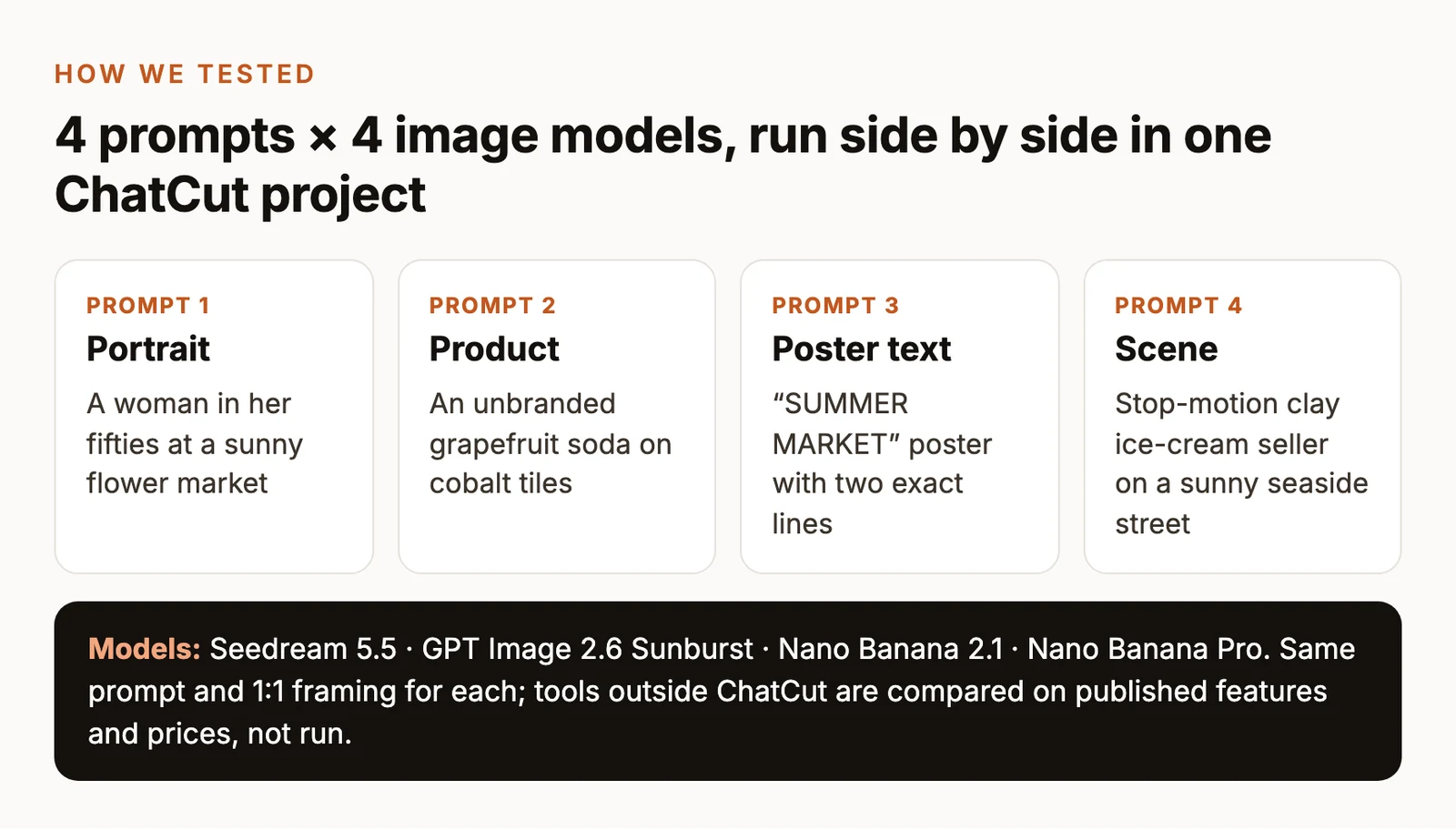
We judged candidates on four checks: first-attempt physical detail (hands, skin, glass, object counts), in-image typography, what happens after generation (layer edits, templates, or video animation), and transparent pricing and rights.
We ran four 1:1 square prompts across Seedream 5.5, GPT Image 2.6 Sunburst, Nano Banana 2.1, and Nano Banana Pro on November 12, 2026, keeping the first output per cell, then ran a fifth 16:9 café product-to-video test on November 18, 2026 in ChatCut. Standalone entries for Midjourney, Ideogram, Adobe Firefly, Leonardo.Ai, Canva, and Krea—plus provider pricing for OpenAI, Google, and ByteDance—are based on the official docs and pricing pages, checked on Nov 18, 2026.
The 10 best AI image generators in 2026
1. Midjourney: best for art direction and style exploration
Midjourney is a dedicated visual generation studio on the web and Discord, favored by art directors and illustrators for mood boards and stylized campaign imagery.
- Best for: Art direction, concept art, cinematic lighting, and cohesive visual mood boards.
- What stands out:
- Style Reference controls carry palette, texture, and lighting mood from reference images into new scenes without locking the subject.
- Strong aesthetic defaults deliver filmic or painterly compositions from brief prompts, with localized region edits in the web app.
- Limits:
- No standard free trial on web or Discord (occasional trials appear only in the mobile niji · journey app).
- Basic ($10/month) lacks Relax mode after 200 Fast GPU minutes, and private Stealth Mode requires Pro ($60/month).
- Pricing: Basic $10/month ($96/year, 200 Fast minutes); Standard $30/month (15 Fast hours + Relax images); Pro $60/month (Stealth Mode). See Midjourney Plans.
- Skip it if: You want a free tier, private client work under $60/month, or editable poster text layers.
2. OpenAI GPT Image (ChatGPT): best for instruction-heavy prompts and dense layouts
OpenAI’s GPT Image lineup—up to November 2026’s GPT Image 2.6 in Flare (fast) and Sunburst (high-detail) variants—handles conversational generation inside ChatGPT and via the OpenAI API.
- Best for: Multi-constraint scenes, plain-English revisions, packaging labels, and short GIFs or SVGs.
- What stands out:
- Reliable prompt obedience: in our P3 poster and P4 clay street tests, GPT Image 2.6 Sunburst hit every phrase, color, and window count on the first try.
- OpenAI’s GPT Image 2.6 system card adds GIF generation in ChatGPT and the API, plus SVG output in the API.
- Limits:
- Free ChatGPT accounts get only limited image creation; see where GPT Image 2 is actually free for current free routes.
- Outputs carry C2PA metadata plus an invisible SynthID watermark.
- Chat edits can nudge unmentioned background details unless locked in the prompt.
- Pricing: Capped Free tier; ChatGPT Go and ChatGPT Plus (check current pricing for your region; Pro from $100/month), or token-billed on the OpenAI API ($5/$8/$30 per 1M text-in/image-in/image-out tokens).
- Skip it if: You want layer-by-layer canvas sliders or local open-weights execution.
3. Ideogram: best for posters, typography, and editable text layers
Ideogram is a web and iOS generator built around posters, apparel graphics, and social cards where garbled lettering ruins the layout.
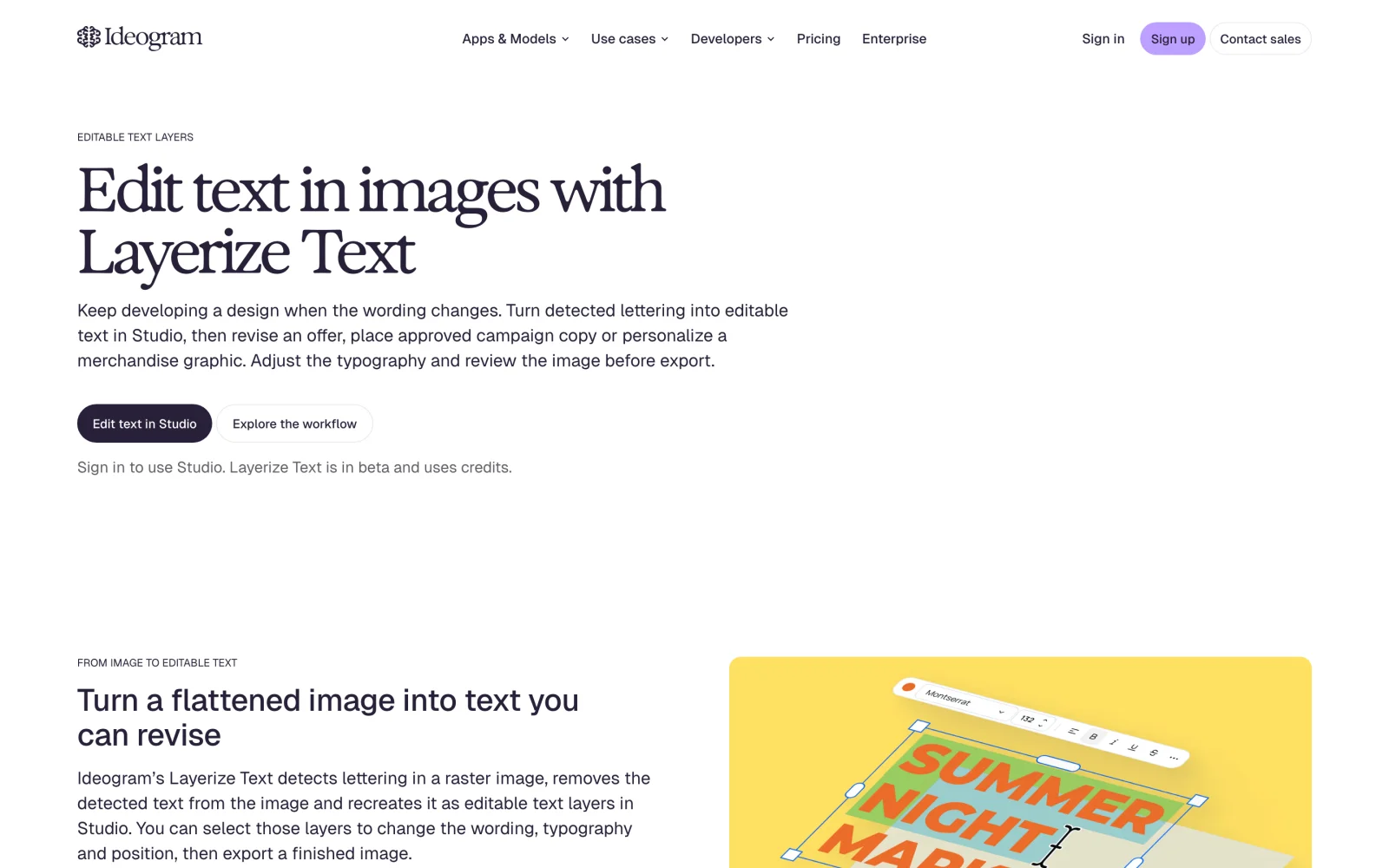
- Best for: Event posters, wordmarks, and marketing graphics whose copy may change late.
- What stands out:
- Editable text layers (Layerize Text) detect lettering in a raster image, clean the background behind it, and let you edit words, fonts, and alignment in Studio.
- Dedicated Poster and Ideogram Vector modes keep margins and hierarchy tidy.
- Limits:
- Free gives 30 credits a week, and everything generated on Free is public.
- The old $8 Basic plan is closed to new sign-ups, so private work starts at $20/month.
- Pricing: Free public tier; Plus $20/month ($180/year, 2,400 priority credits + private mode + slow queue); Pro $60/month. See Ideogram pricing and Available Plans.
- Skip it if: You need private generations near $10/month or focus strictly on candid film portraits.
4. Seedream 5.5: best for realistic portraits, product lighting, and multi-round edits
Released by ByteDance Seed in November 2026, Seedream 5.5 targets natural lighting, tactile surfaces, pixel-steady multi-turn edits, and transparent-background cutouts.
- Best for: Realistic portraits and product stills, multi-step scene edits, and alpha-channel assets.
- What stands out:
- ByteDance’s Seedream 5.5 announcement highlights minimal drift across repeated edits—confirmed in our Seedream vs. Nano Banana vs. GPT Image test.
- Supports native transparent PNGs and automatic layer splitting with OCR on the Seedream 5.5 model page at low API cost.
- Limits:
- Tops out at 2K tiers (1K, 1.5K, 2K; no native 4K).
- Can improvise extra props—adding a checked cloth in P3 and a fourth window plus door in P4.
- Reached mostly through the BytePlus API, ByteDance’s playgrounds, or partner apps, so the interface and free allowance depend on the host.
- Pricing: On BytePlus ModelArk, $0.020/image up to ~2.61M pixels (1K/1.5K) and $0.035/image at 2K, plus $0.008 per input image. More briefs: our Seedream 5.5 introduction and Seedream free access guide.
- Skip it if: You need native 4K stills or built-in social slide templates.
5. Google Nano Banana (Gemini): best for everyday fast generation and multi-reference edits
Google’s Nano Banana family—Nano Banana 2.1 for fast everyday drafting and Nano Banana Pro (Gemini 3 Pro Image) for complex compositions—runs in Gemini, AI Studio, and Vertex AI.
- Best for: Fast daily ideation, conversational photo edits, extreme aspect ratios, and multi-reference scenes.
- What stands out:
- Accepts up to 14 reference images per prompt, and Nano Banana 2.1 adds wide/tall ratios (
1:4,4:1,1:8,8:1) plus 1K–4K output. - Nano Banana Pro renders crisp signage and clean geometry; see our GPT Image 2 vs. Nano Banana Pro comparison.
- Accepts up to 14 reference images per prompt, and Nano Banana 2.1 adds wide/tall ratios (
- Limits:
- Free Gemini accounts face tight daily caps on Pro image runs.
- Nano Banana Pro added an unrequested black film border in P1 and raised the camera angle in P2.
- Embeds Google SynthID watermarks, and Gemini API calls bill thinking tokens alongside image tokens.
- Pricing: Capped Free tier in Gemini; Google AI Plus $4.99/month and Google AI Pro $19.99/month on Google AI Plans, or pay-per-token via the Gemini API.
- Skip it if: You need editable SVG vector paths or one-click multi-layer decomposition.
6. Adobe Firefly: best for commercial-safe campaigns in Photoshop and Illustrator
Adobe Firefly runs on the web and natively inside Photoshop, Illustrator, and Adobe Express for teams prioritizing IP provenance and layered retouching.
- Best for: Enterprise and agency teams needing commercially safe training data inside Creative Cloud.
- What stands out:
- Native Firefly models train on licensed Adobe Stock and public-domain media and attach Content Credentials metadata.
- Generative Fill and Generative Expand edit masked regions directly on layered Photoshop PSDs, and Firefly Boards also offer select partner models.
- Limits:
- Free accounts get only limited generations rather than a monthly credit bank.
- Native Firefly stills often look cleaner and more stock-like than Midjourney’s lighting or Seedream’s film texture.
- Pricing: Limited free generations; paid Firefly plans add monthly generative credits (check current pricing on Firefly plans). See the Firefly overview.
- Skip it if: You work outside Adobe’s apps and want stronger artistic stylization per dollar.
7. Leonardo.Ai: best for free daily tokens and style presets
Leonardo.Ai is a web and mobile studio popular with concept artists and indie game teams who want daily free tokens plus structured reference roles.
- Best for: Free daily prompt practice, game/character sheets, and explicit style vs. character guidance.
- What stands out:
- 150 fast tokens refresh every 24 hours on Free—ideal for testing prompts without a card.
- Phoenix guidance separates Style, Character, and Content references alongside custom model training.
- Limits:
- Free tokens reset daily with no rollover bank, and Leonardo keeps rights to use free-tier images.
- Token burn varies sharply across models and upscale toggles, making the interface busy for beginners.
- Pricing: Free (150 fast tokens/day); Essential 8,500 fast tokens/month, Premium 25,000, Ultimate 60,000 (check current pricing on Leonardo pricing).
- Skip it if: You need private commercial drafts for free or prefer a minimal chat interface.
8. ChatCut: best for comparing top image models and turning stills into video
ChatCut is an AI video editor (web, macOS, Windows, and Agent Plugin) combining GPT Image 2.6, Seedream 5.5, and Nano Banana Pro, 2.1, and 2 with Seedance 2.5 and Kling 4.0.
On November 18, 2026, our 16:9 café prompt ran on GPT Image 2.6 Sunburst (0.15 credits), Seedream 5.5 (0.08), and Nano Banana 2.1 (0.21) in ~50 seconds (0.44 credits). Animating the GPT frame with Seedance 2.5 took ~2 minutes (5.45 credits; 5.89 total); we muted stray background speech (-60 dB) in one manual timeline edit and exported 720p MP4 free.
- Best for: Comparing image models and turning the winning still into an edited video; see our AI image-to-video guide.
- What stands out:
- Run GPT Image 2.6 (GIFs/SVGs), Seedream 5.5 (layer splitting), and Nano Banana with upfront credit quotes.
- Stills drop onto a timeline where manual cuts, captions, and Desktop 4K exports use zero credits.
- Limits:
- Image and video generation require Pro ($25/month+) and credits; credit packs alone do not unlock Pro.
- Needs internet even on Desktop; cloud exports cap at 1080p, and monthly credits expire after 60 days.
- No Linux app (macOS 13+, Windows 10+ x64), and the Agent Plugin runs in desktop apps (Claude Code, Codex, WorkBuddy), not ChatGPT or Claude websites.
- Pricing: Free core editor (60m cloud export); Pro from $25/month ($252/year, 100 credits). See pricing, product facts, and image generation docs.
- Skip it if: You want free image generation, work offline or on Linux, or never make video.
9. Canva: best for generating images inside social posts and slides
Canva builds text-to-image generation (Magic Media) directly into its browser, desktop, and mobile editor so generated visuals land straight inside a presentation or Instagram layout.
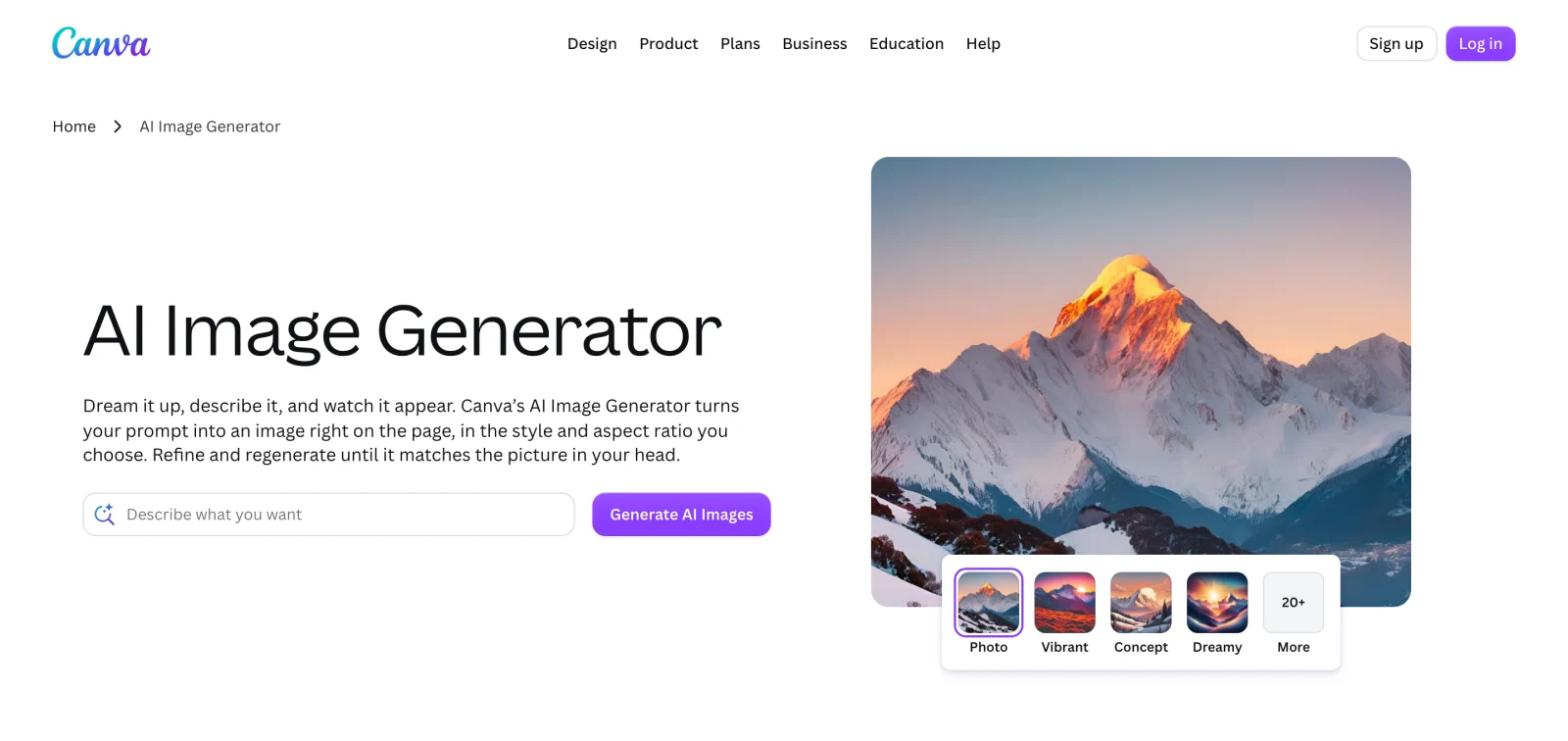
- Best for: Marketers and small businesses delivering finished slides, thumbnails, or social posts rather than raw PNGs.
- What stands out:
- Generate a visual, overlay brand fonts and logos, resize for Reels or LinkedIn, and publish from one tab.
- Background removal and layout templates make up for weaker raw AI lettering.
- Limits:
- Free accounts get limited access to Standard and Premium AI tools from a shared monthly allowance (Canva AI access help).
- Photorealistic texture and strict prompt adherence trail GPT Image 2.6, Seedream 5.5, and Midjourney.
- Pricing: Limited Free plan; Canva Pro US$144/year for one person; Business US$250/year per person. See Canva pricing and Canva AI Image Generator.
- Skip it if: You prioritize camera-grade realism or multi-reference control over layout speed.
10. Krea: best for real-time canvas sketching and upscaling
Krea centers on a Realtime canvas—updating the AI render live as you move shapes, brush strokes, or 3D/webcam inputs—paired with upscaling, LoRA training, and node workflows.
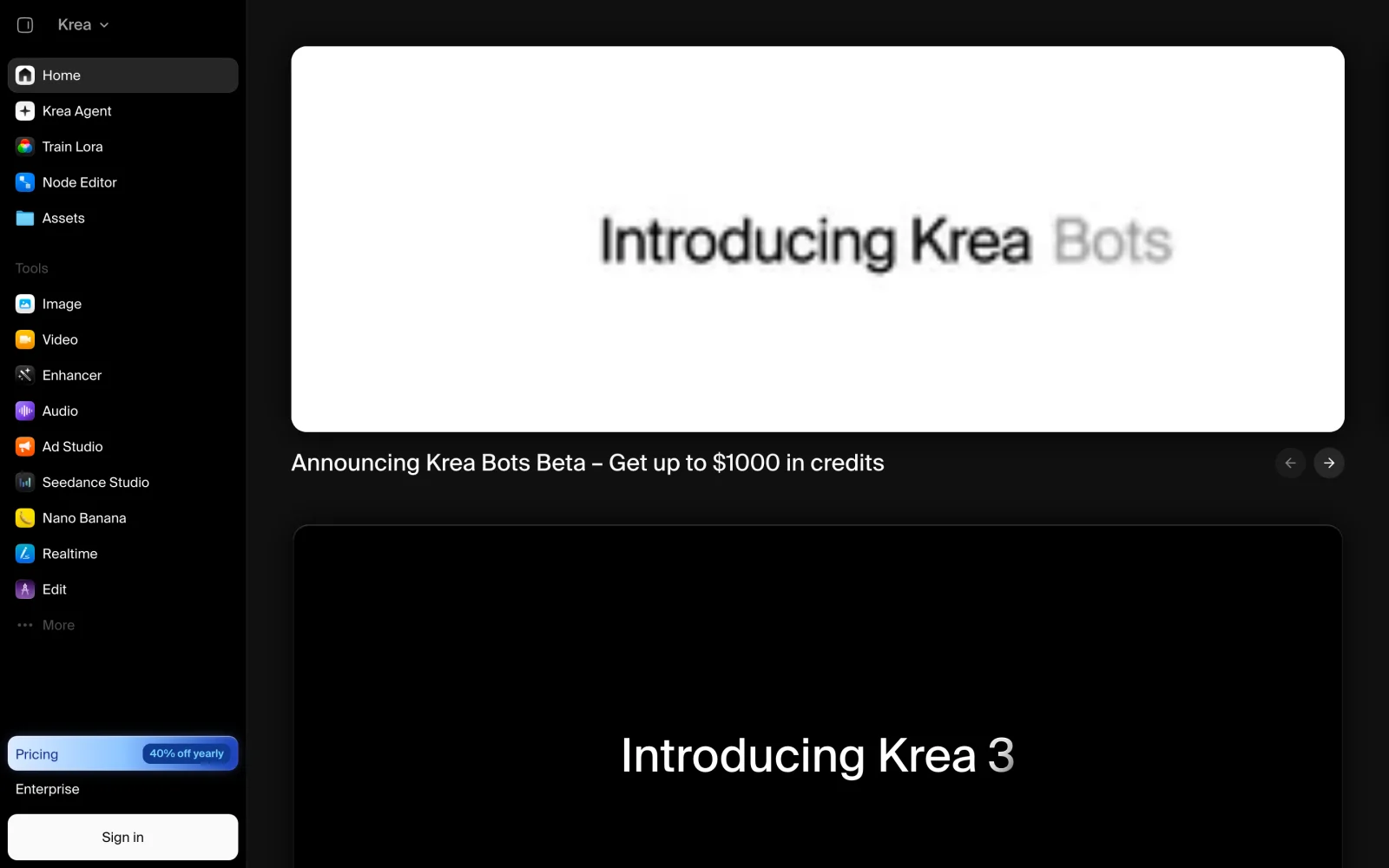
- Best for: Interactive composition steering on a live canvas, print upscaling, and creative-app plugins.
- What stands out:
- Answers the call for a free real-time AI image generator: Free includes live real-time models with no credit card required.
- Bundles Krea 3, third-party models, Node pipelines, and an Enhancer/Upscaler (up to 22K).
- Limits:
- Free’s 100 compute units/day stretch well on live sketching, but upscaling on Free is limited and heavier image models draw the daily quota down quickly.
- Unit rates vary across 20+ tools, complicating budget estimates.
- Pricing: Free (100 units/day); Basic $9/month ($5/month yearly, 5,000 units/month, commercial license); Pro $35/month ($21/month yearly). See Krea pricing.
- Skip it if: You prefer one-shot text prompting over live canvas manipulation.
Same-prompt results: four image models side by side
P1–P4 run Seedream 5.5, GPT Image 2.6 Sunburst, Nano Banana 2.1, and Nano Banana Pro at 1K 1:1 (first output kept; GPT 1056 × 1056 px, others 1024 × 1024 px). P5 shows our November 18, 2026 16:9 1K test. For three-round edits and alpha stickers, see Seedream 5.5 vs. Nano Banana 2.1 vs. GPT Image 2.6; for more briefs, try our Seedream 5.5 prompts, Nano Banana prompts, and GPT image prompts.
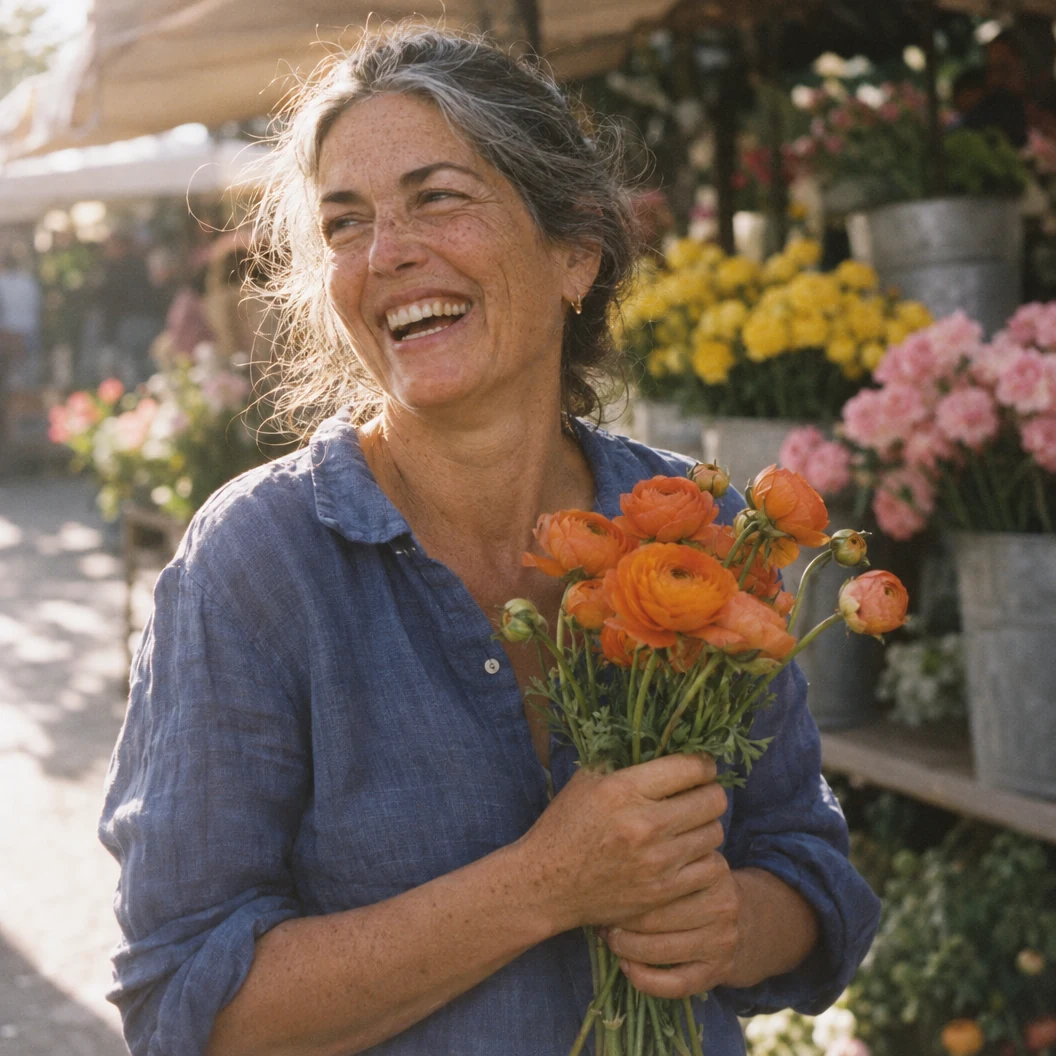
P1 — Candid outdoor portrait
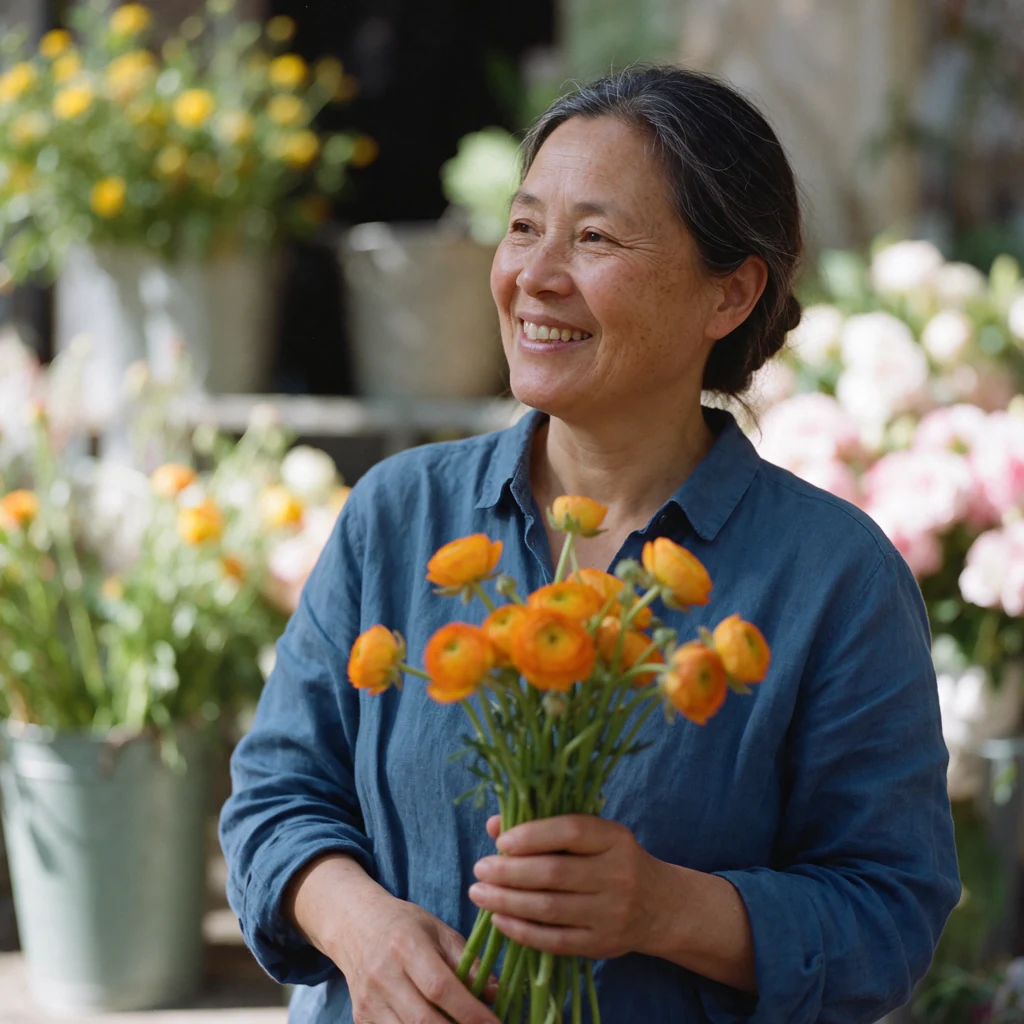
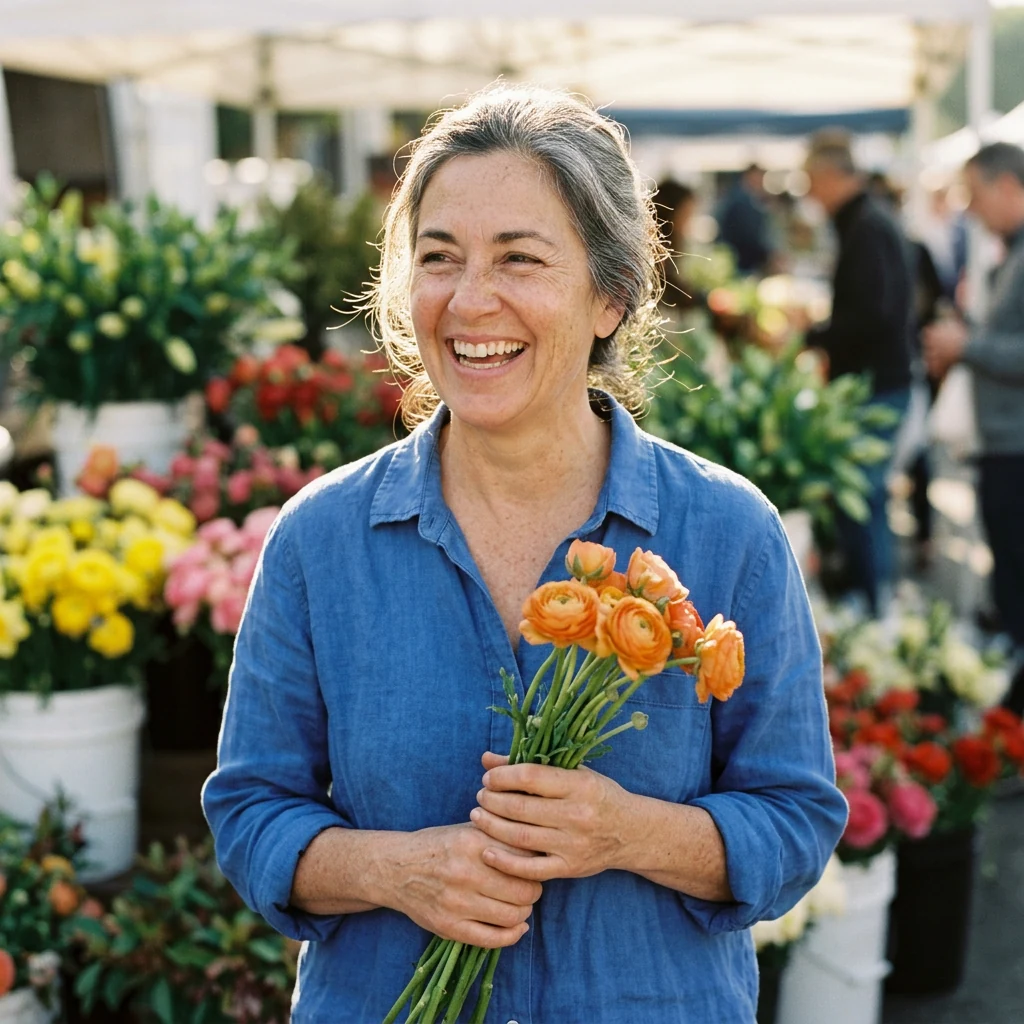
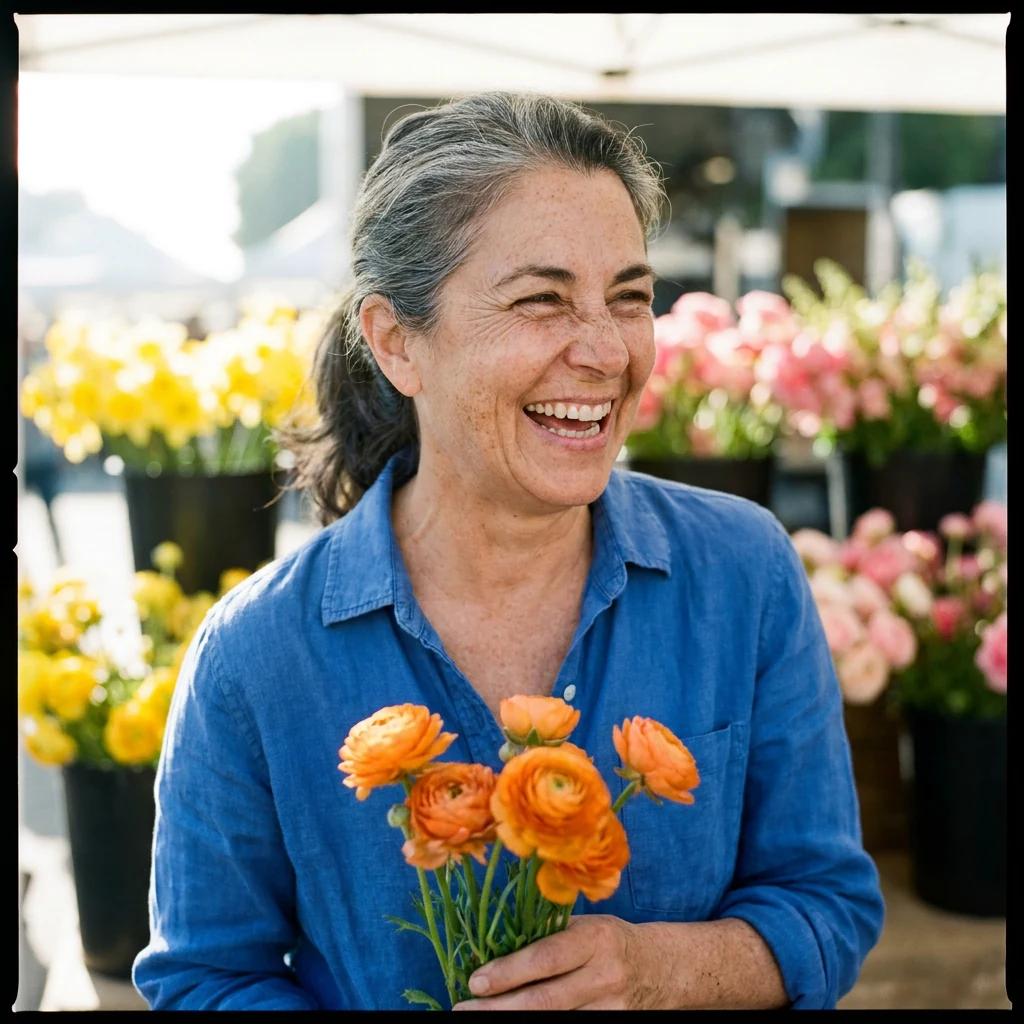
- Seedream 5.5: Side-glance smile, tied-back hair, hands at waist, soft shade rather than hard sun.
- GPT Image 2.6 Sunburst: Broadest laugh, backlit silver hair, clear face/forearm freckles, intact hands at chest height.
- Nano Banana 2.1: Straight-on laugh, clasped hands, blurred shoppers behind her.
- Nano Banana Pro: Deep smile lines and freckles, plus an unrequested black film border.
P2 — Unbranded glass bottle
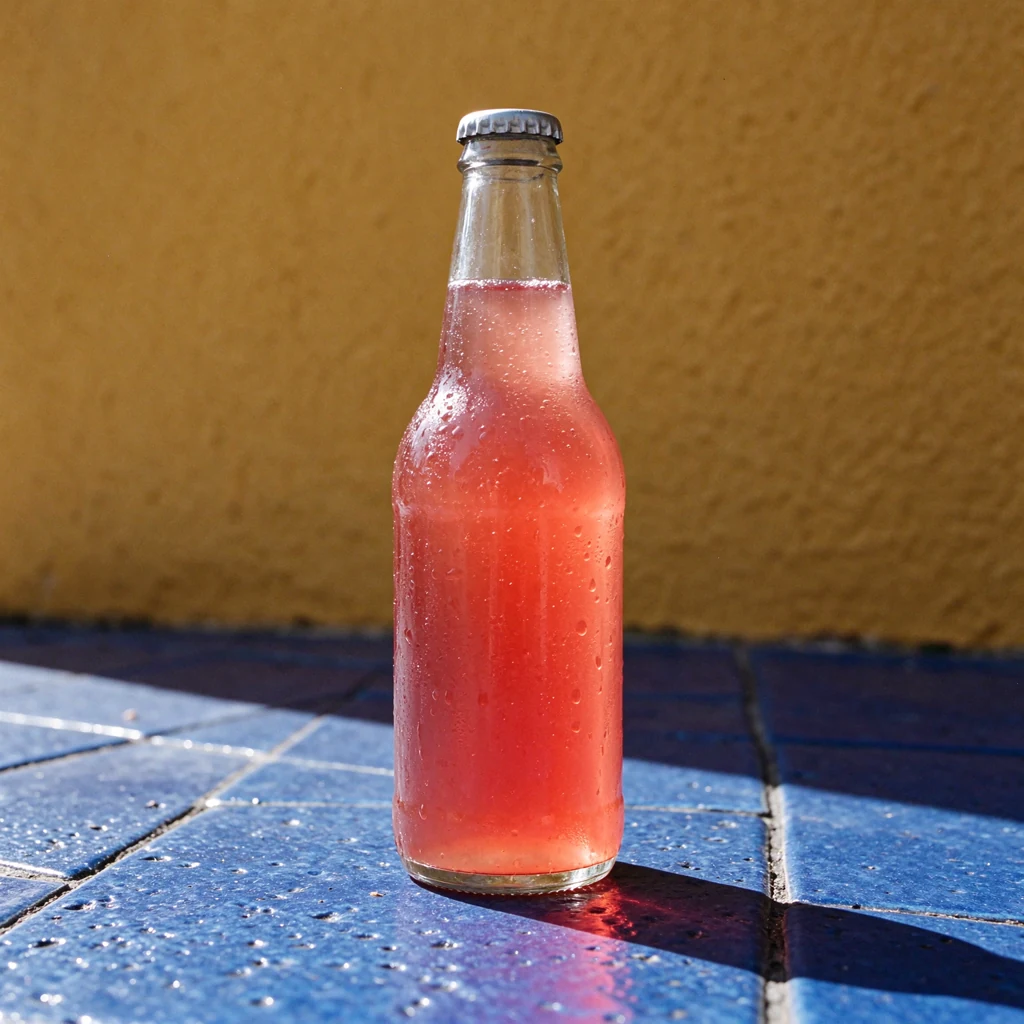
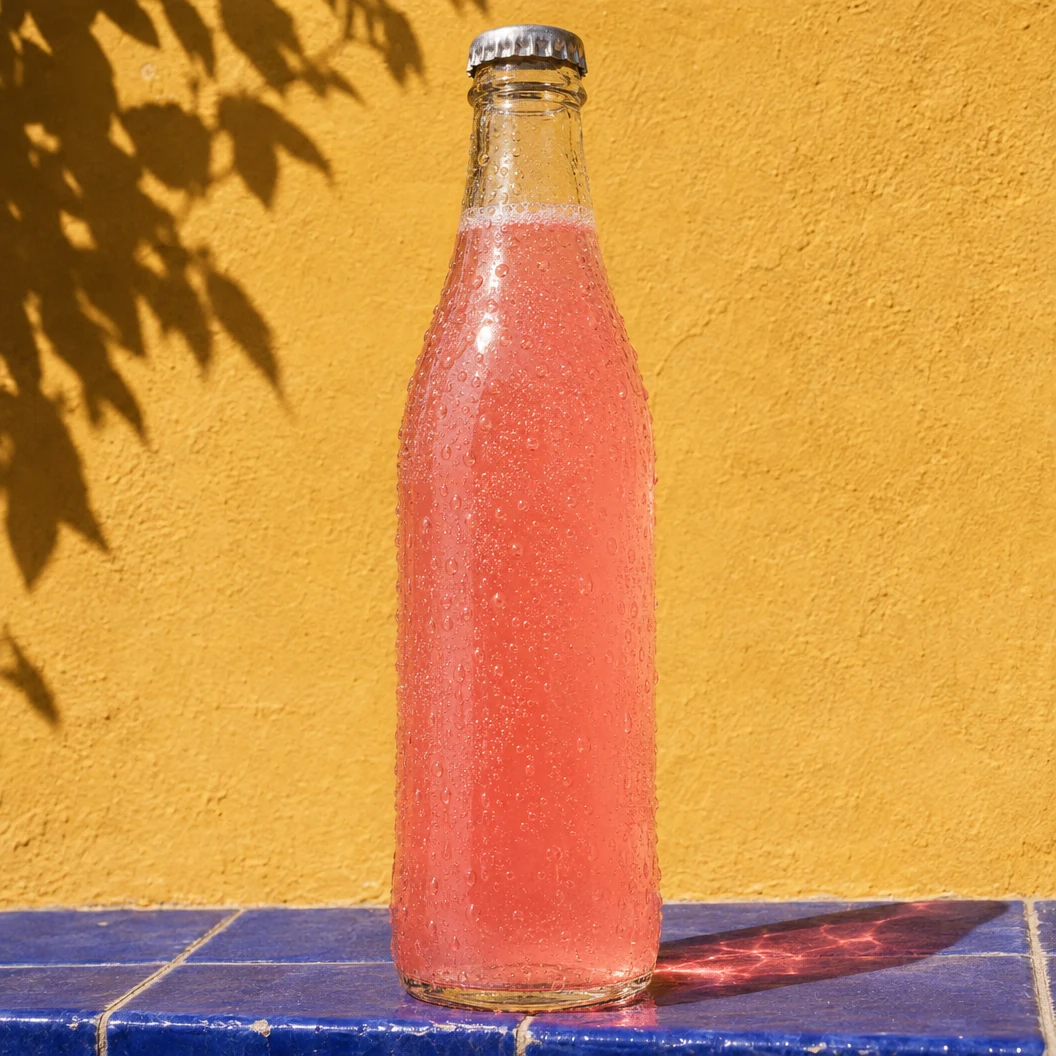
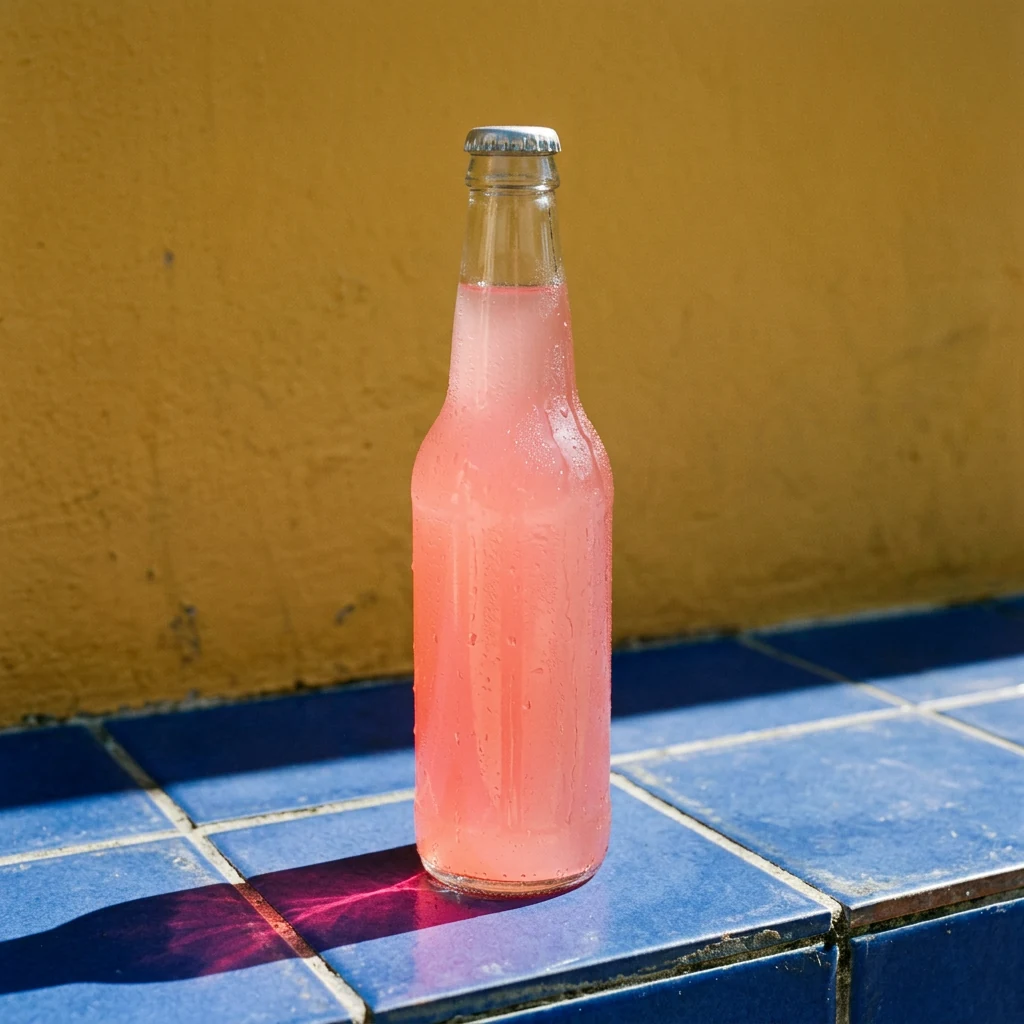
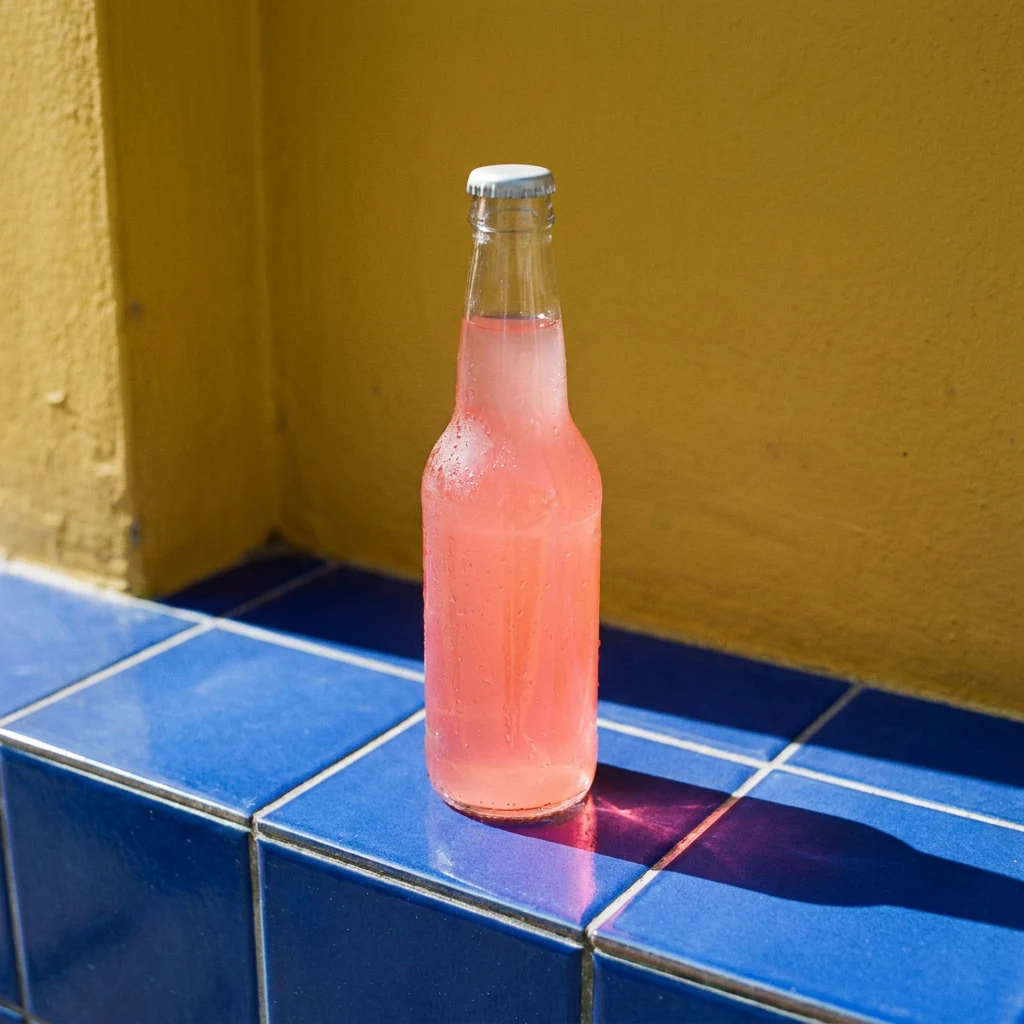
- Seedream 5.5: Clear space above the cap, droplets on glass and tiles, faint pink shadow tint.
- GPT Image 2.6 Sunburst: Nearly full-frame bottle, leaf shadow on wall, strongest pink caustic across tiles.
- Nano Banana 2.1: Frosted condensation and pink caustic at base from a slightly higher angle.
- Nano Banana Pro: Smaller bottle on a ledge corner shot from above rather than low.
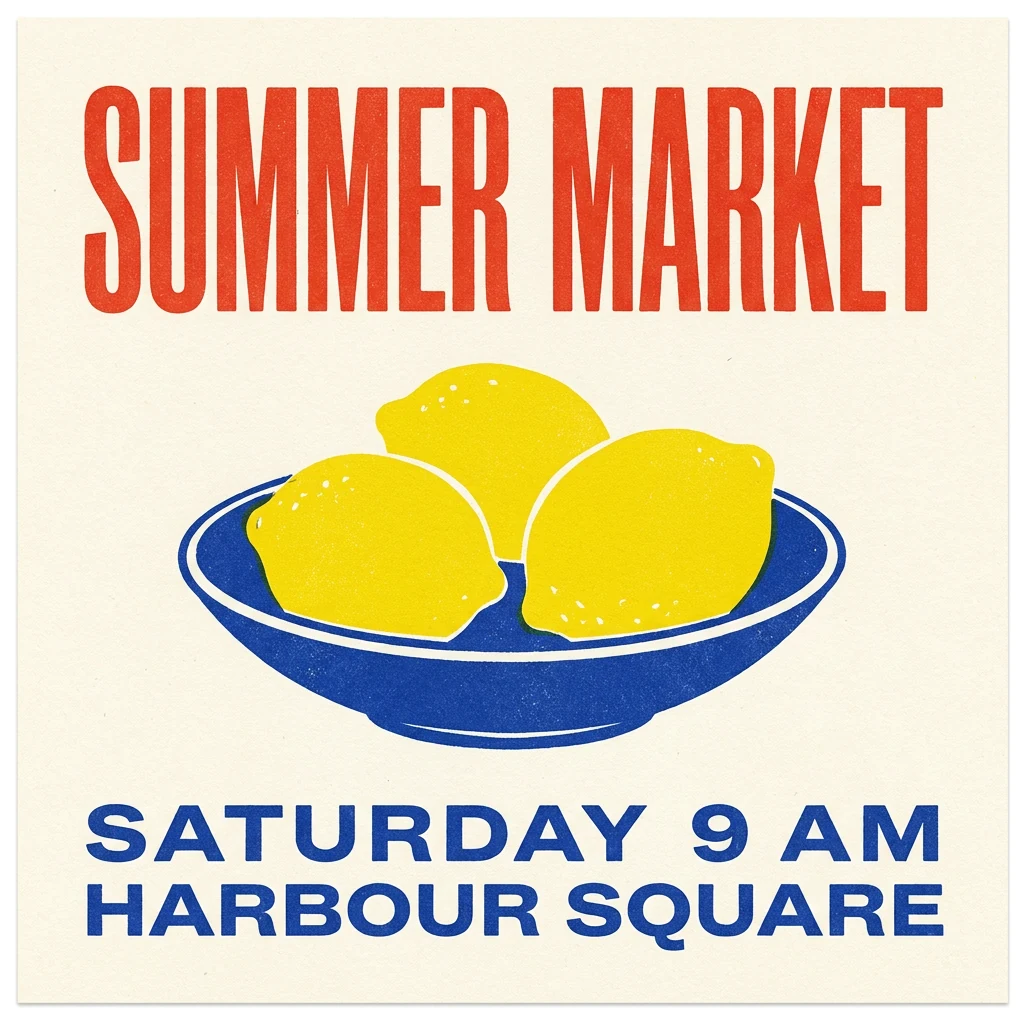
P3 — Screen-printed poster
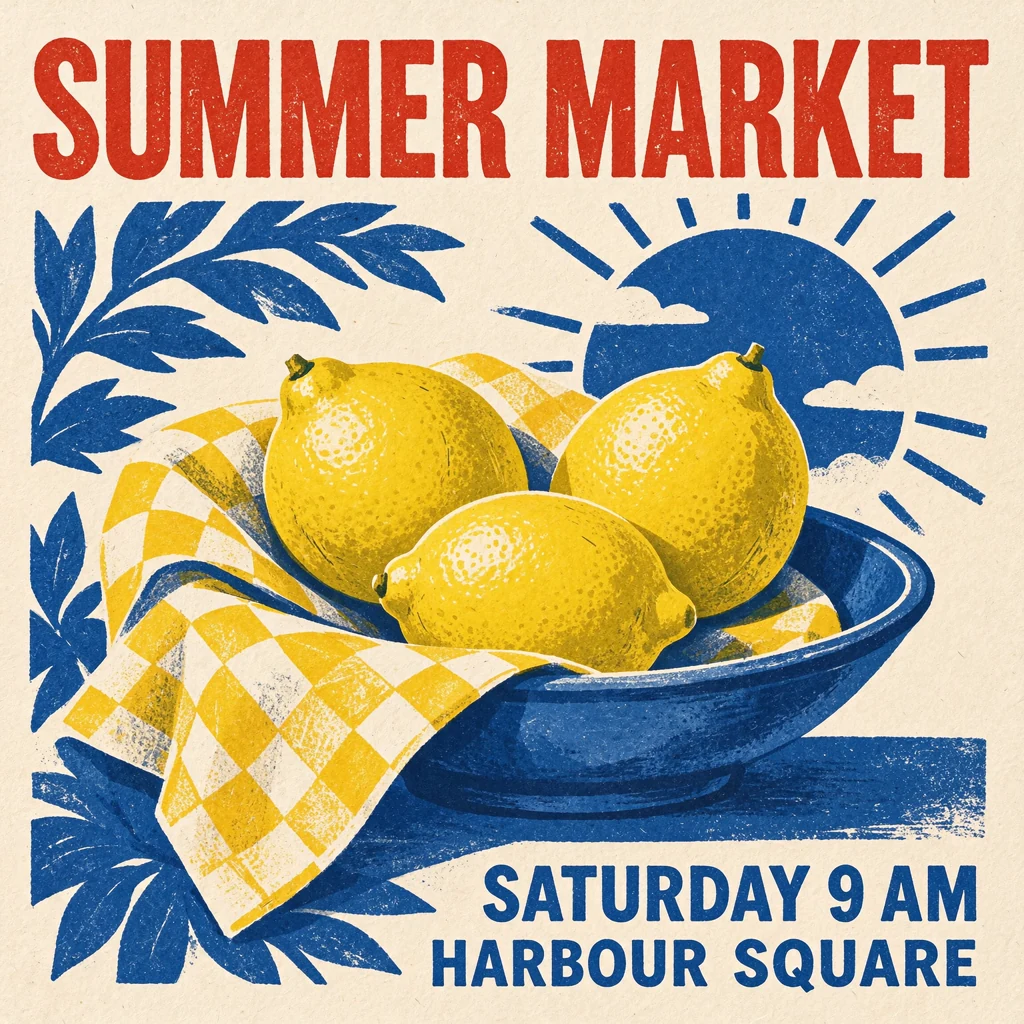
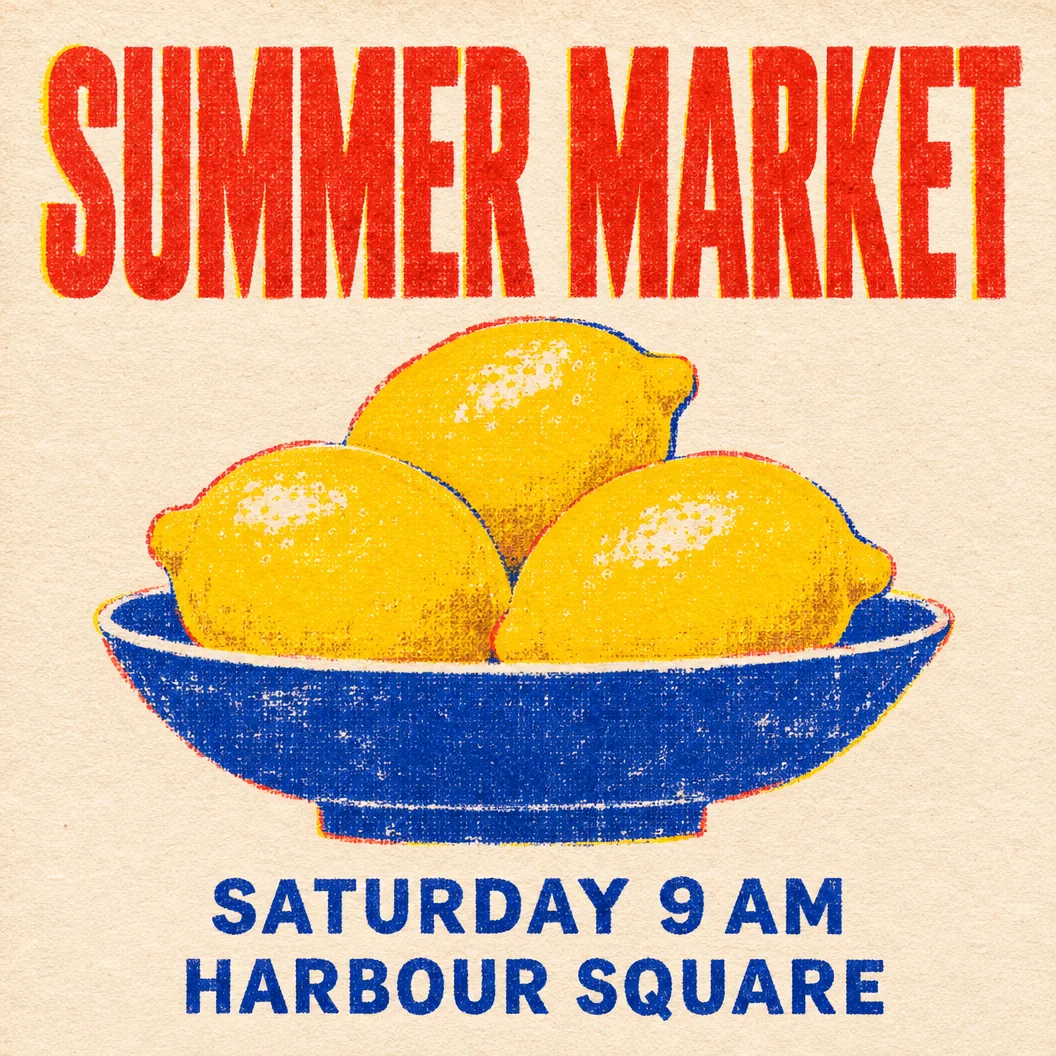
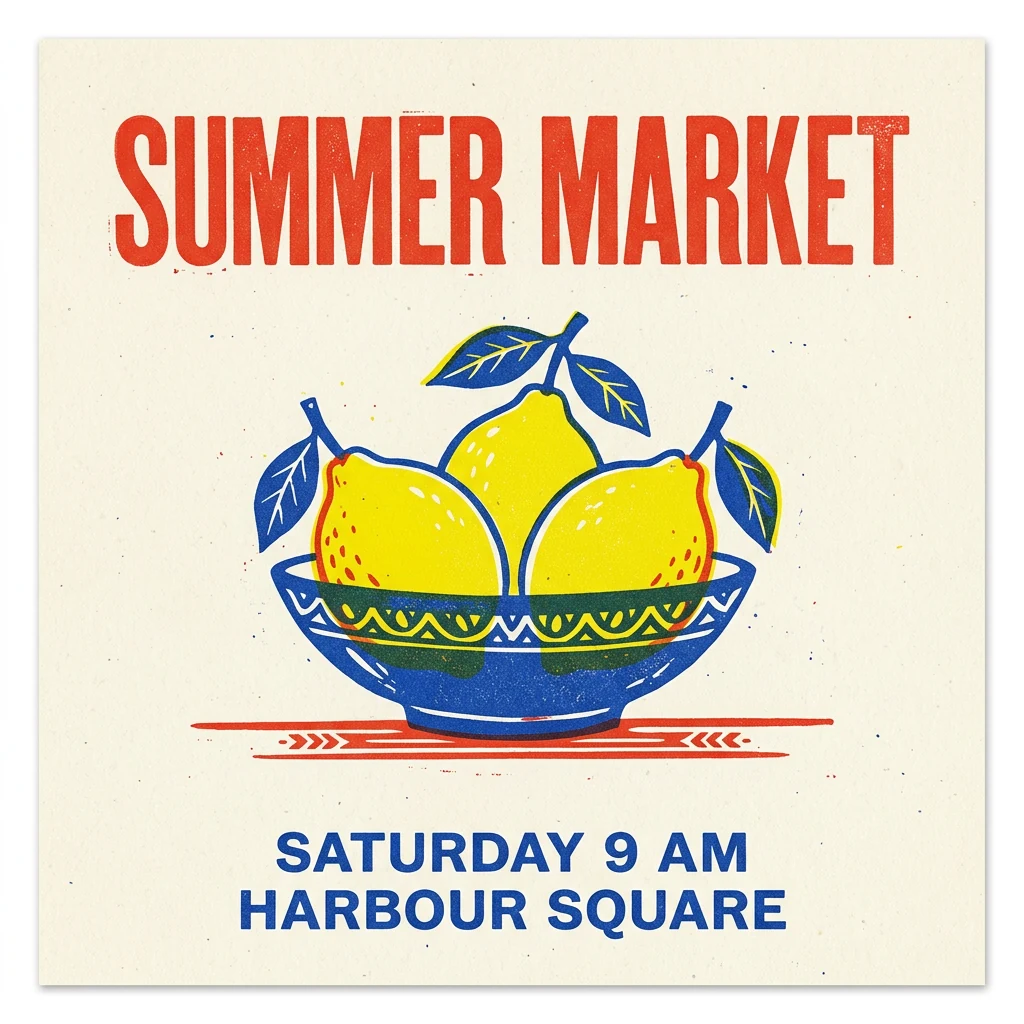
- Seedream 5.5: Exact text and three lemons, but adds a checked cloth, leaves, and sun motif, shifting footer right.
- GPT Image 2.6 Sunburst: Closest match—three lemons in a shallow bowl, full-width headline, centered footer, ink misregistration.
- Nano Banana 2.1: Exact text and three lemons with wide margins, plus unrequested leaves, a red rule, and deeper bowl.
- Nano Banana Pro: Exact text and three lemons in a shallow bowl with bold flat shapes and tall footer type.
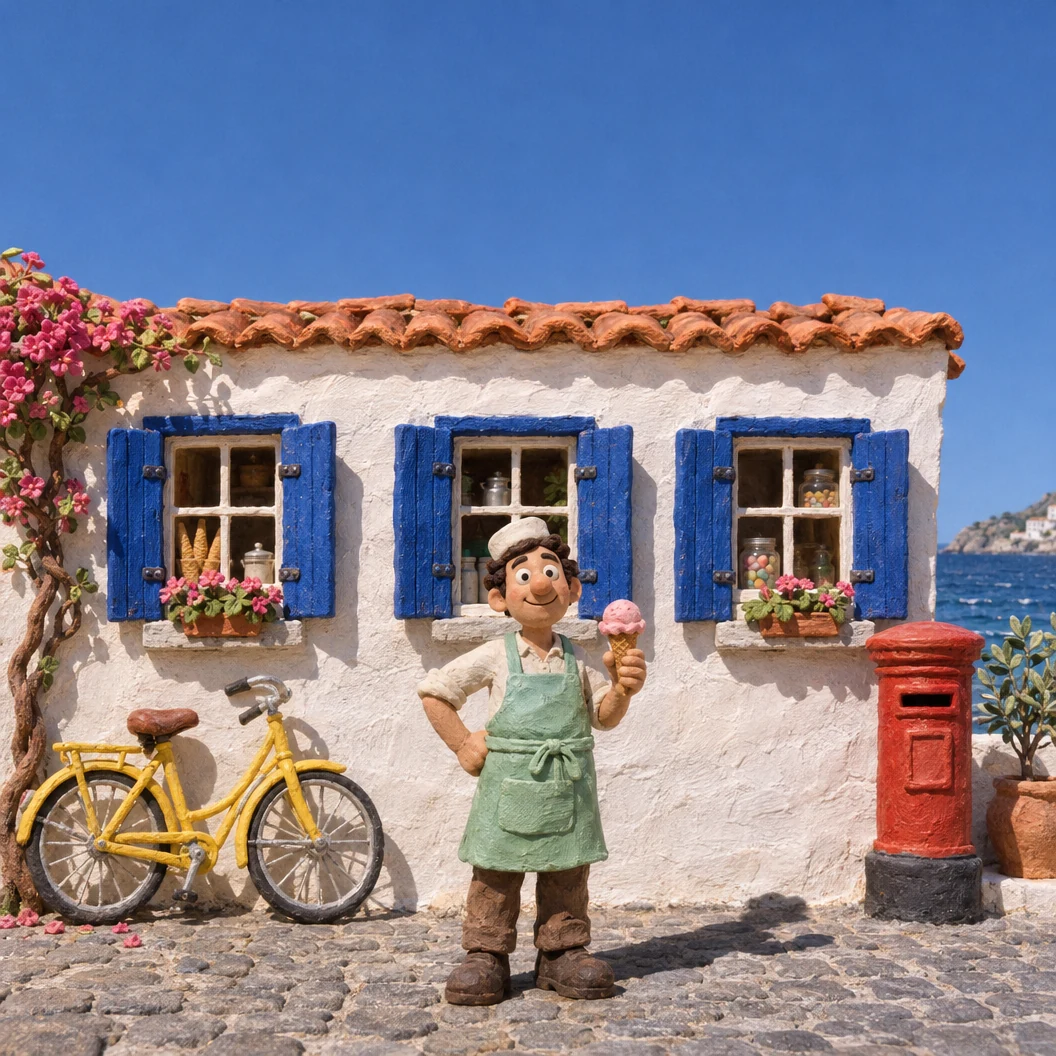
P4 — Stop-motion clay street
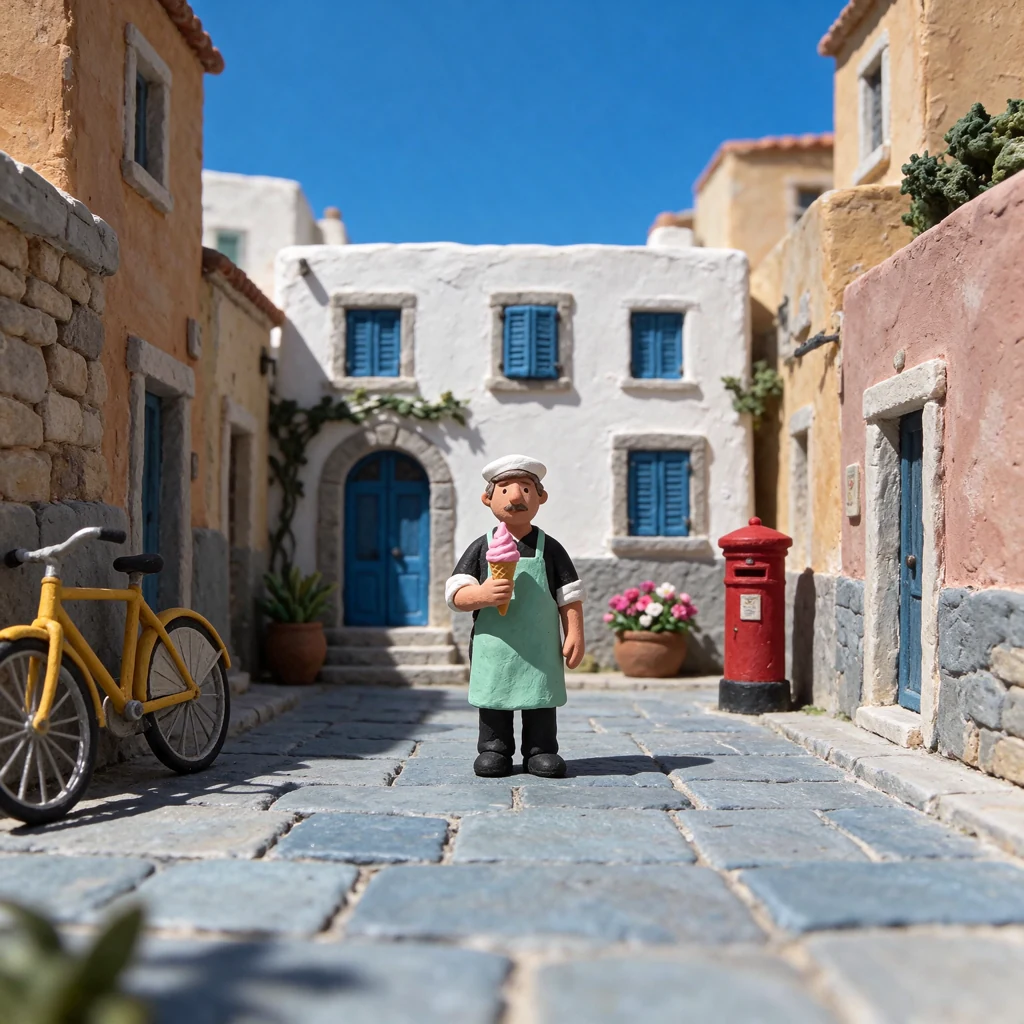
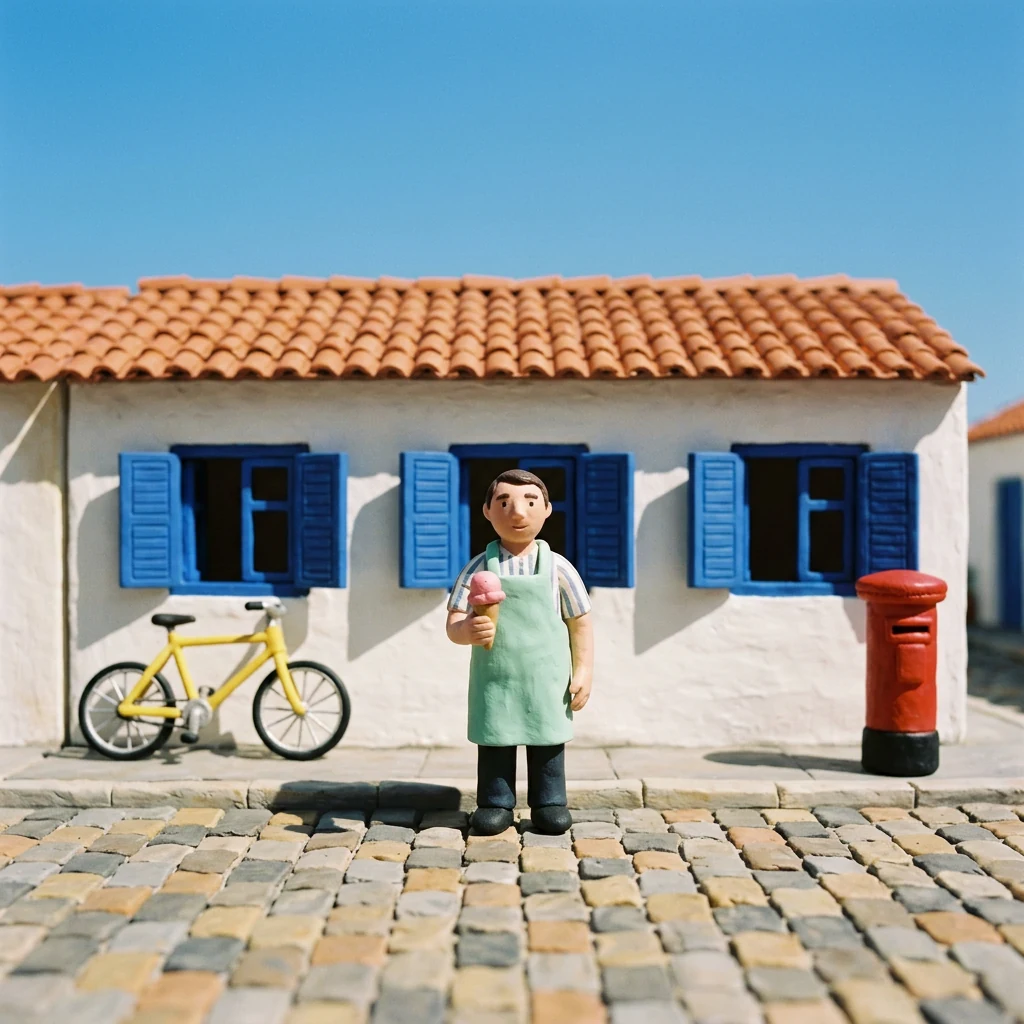
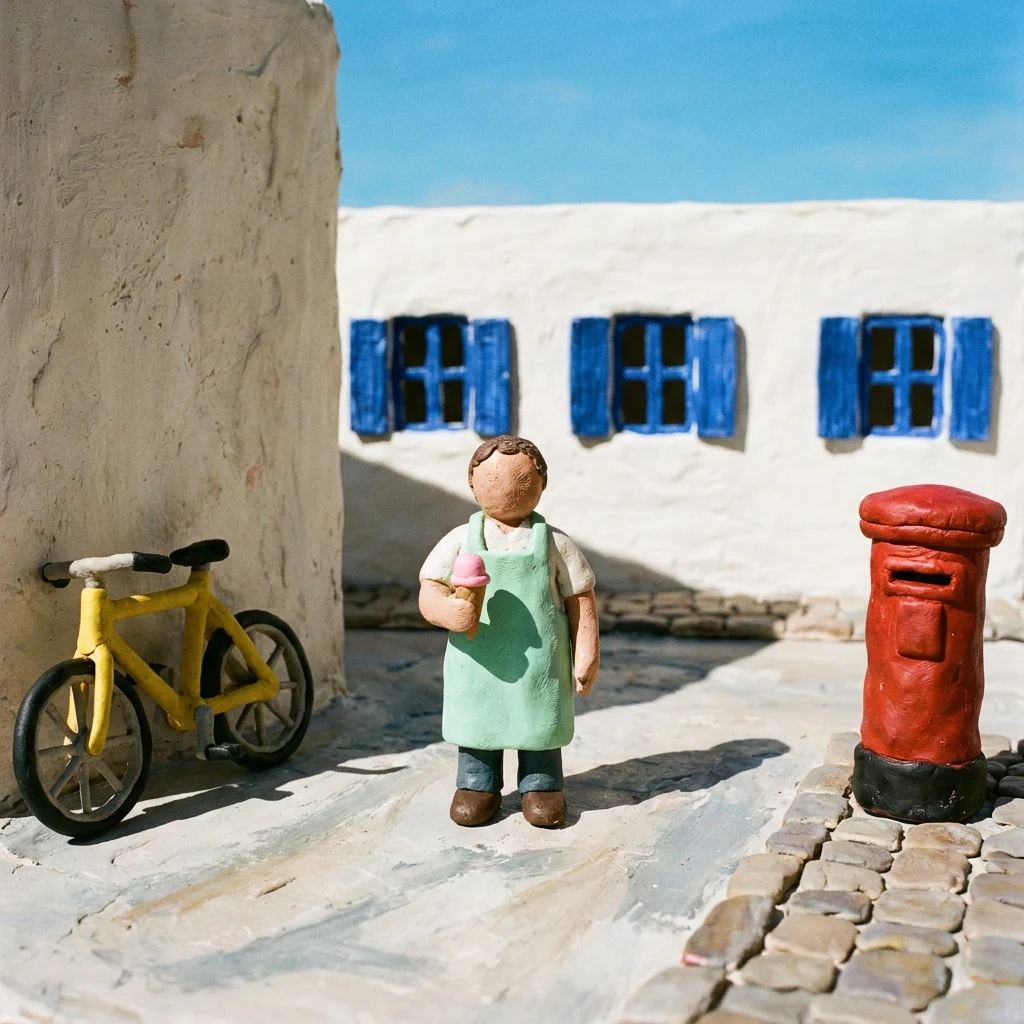
- Seedream 5.5: Tactile clay cobbles and correct prop order, but shows four windows plus a blue door and narrow sky.
- GPT Image 2.6 Sunburst: Hits bicycle left, seller center, post box right, and three blue-shuttered windows, adding bougainvillea.
- Nano Banana 2.1: Hits all three windows and prop positions with the widest clear sky for titles.
- Nano Banana Pro: Correct prop order and three windows, but leaves the seller’s face featureless and adds a tall left wall.
P5 — 16:9 morning café product shot (November 18, 2026)
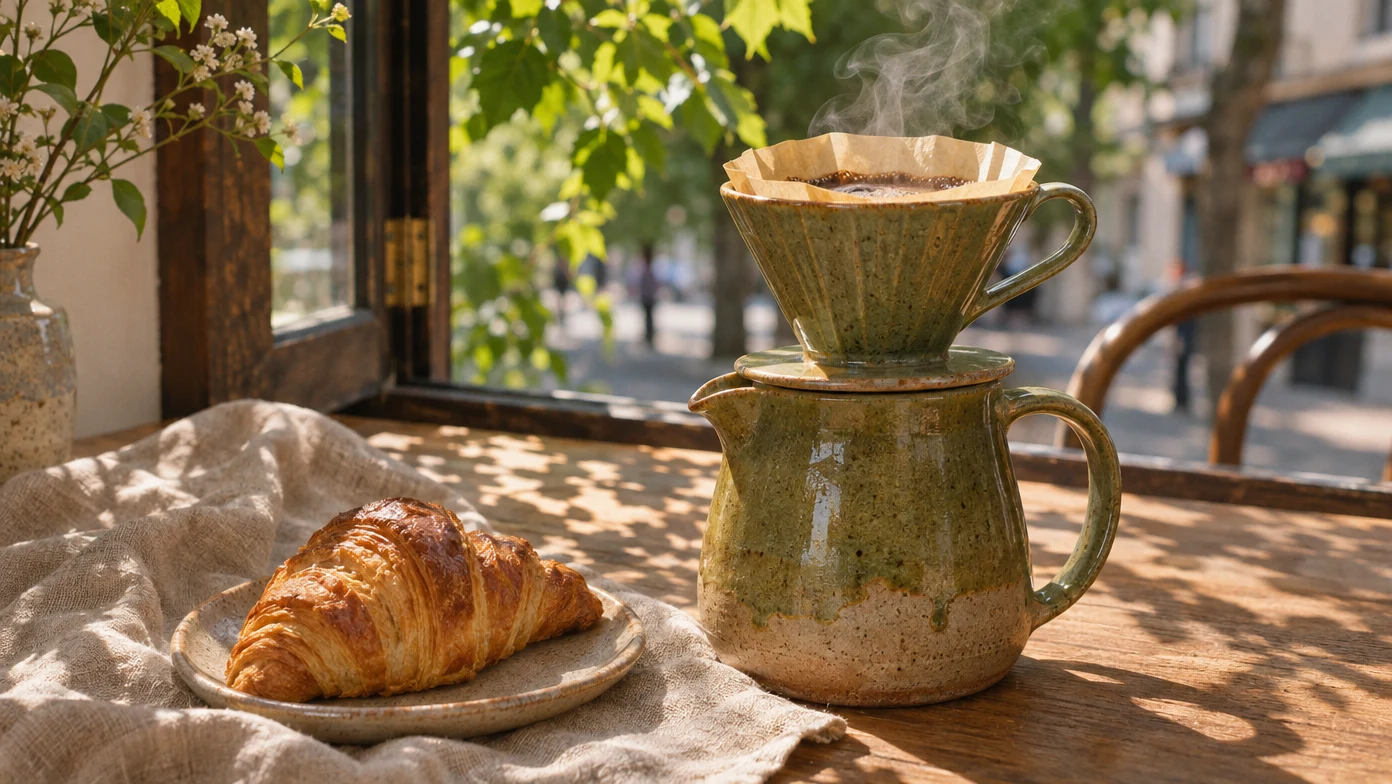

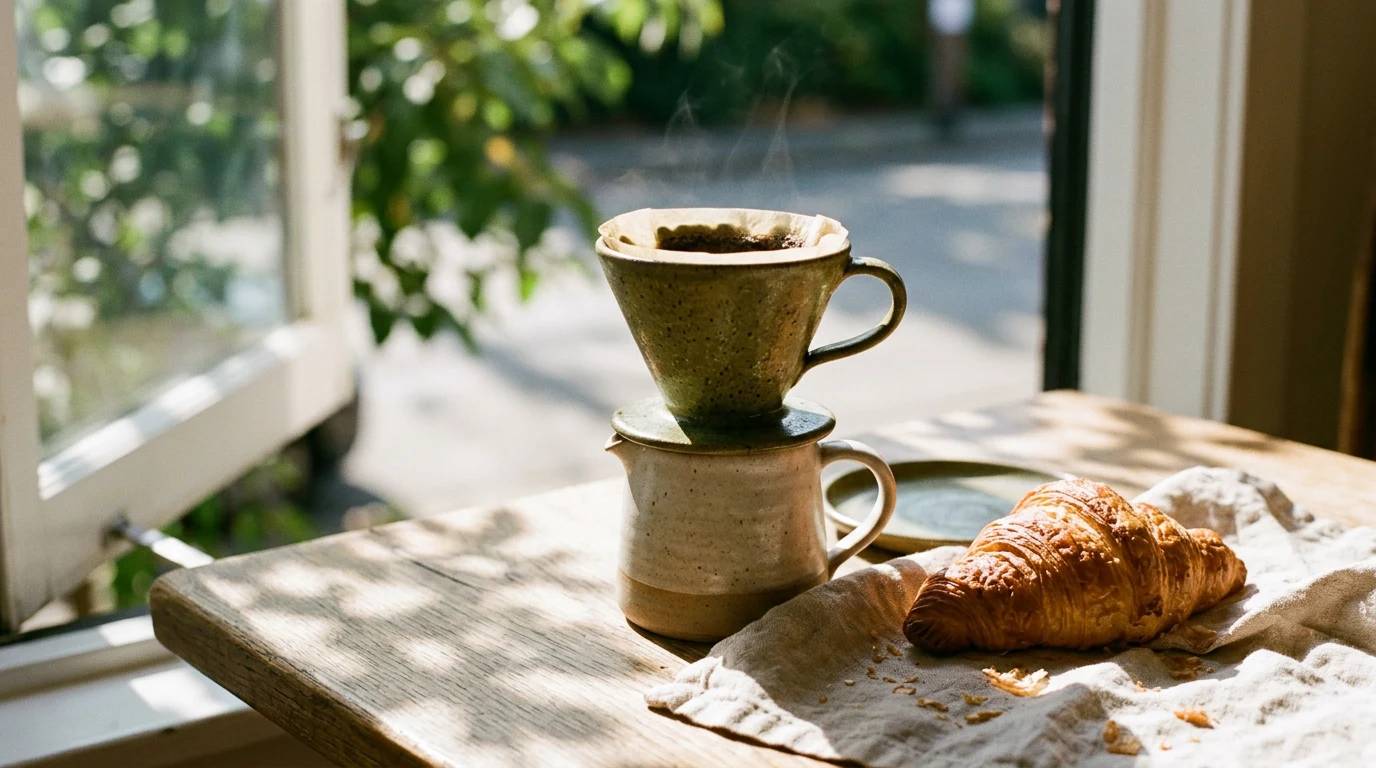
- GPT Image 2.6 Sunburst: Ribbed olive glaze, pleated filter with coffee bloom and steam, plated croissant, open wooden window.
- Seedream 5.5: Matte olive-brown cone and carafe in soft backlit steam, though the white window stays closed.
- Nano Banana 2.1: Open white casement window left, crumbs on linen, plus an extra green saucer behind the carafe.
Also considered
- Recraft: Top specialist for editable SVG vector logos and icons (V4.1 Vector API is $0.08/image). Free Studio images are public, owned by Recraft, and non-commercial; private commercial rights start on paid Studio plans (check current pricing).
- Magnific (formerly Freepik): Bundles multiple image/video models, an upscaler, and stock assets under regional annual credit plans whose credits last a full year.
- Black Forest Labs FLUX 3: Pay-as-you-go API with zero seat fee ($0.048/image at 1K on FLUX 3 Image, or $0.009/image on 5.6B FLUX 3 Image Klein, which also runs locally on a consumer GPU).
- Bing Image Creator (Microsoft Designer): Casual zero-subscription option for personal Microsoft accounts, without pro layer or reference tools.
How to choose the best AI image generator for your workflow
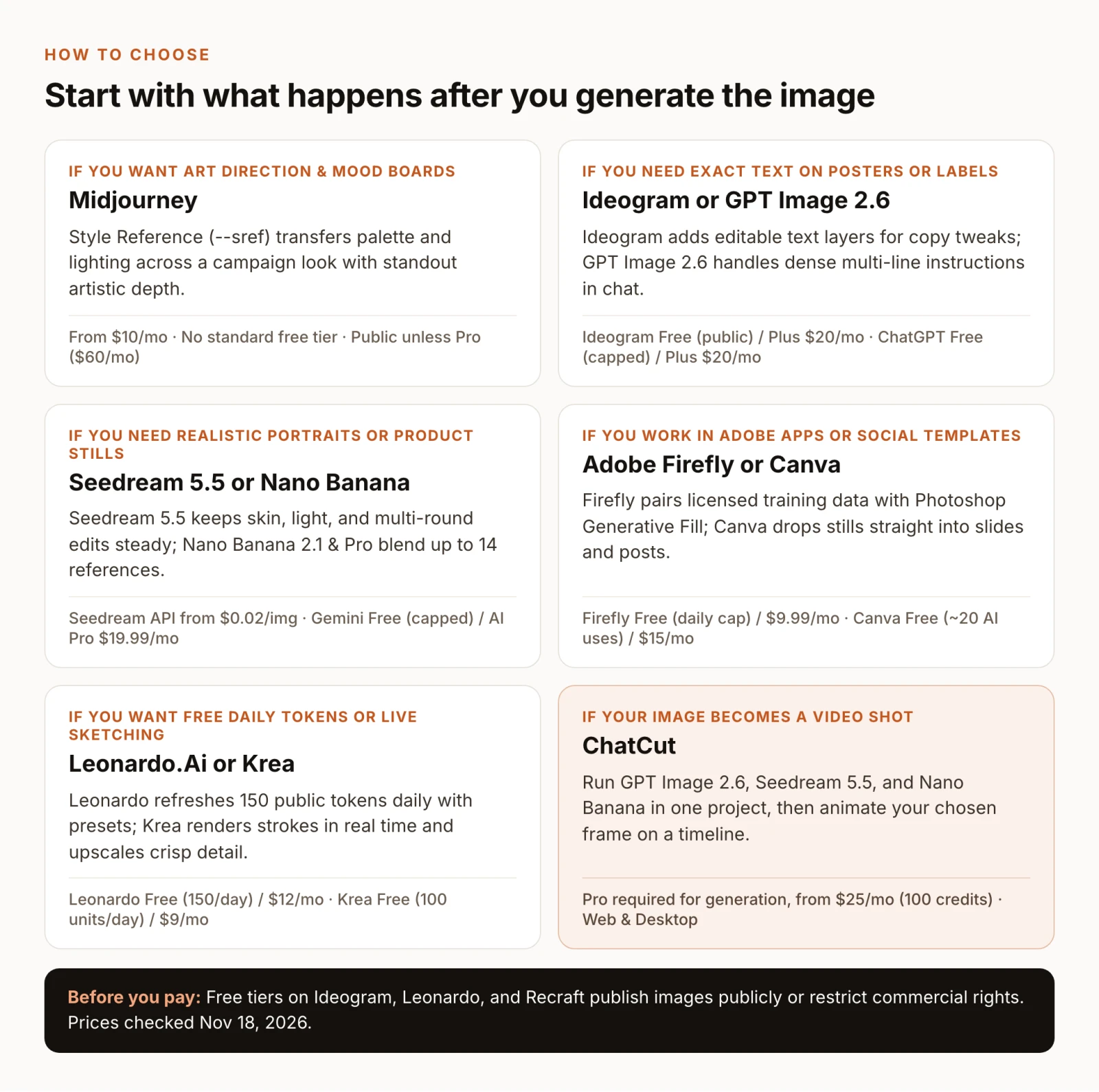
- If you want painterly art direction or mood boards, pick Midjourney ($10/month; Pro $60/month for private Stealth Mode).
- If you need exact poster lettering you can edit afterward, pick Ideogram ($20/month Plus) or OpenAI GPT Image (ChatGPT Plus).
- If you need realistic portraits, product shots, or steady multi-round edits, shortlist Seedream 5.5 and Google Nano Banana.
- If you require licensed training data inside Photoshop, pick Adobe Firefly.
- If the image drops straight into a slide deck or social template, pick Canva ($144/year Pro).
- If you want free daily tokens, live sketching, or SVG vectors, start with Leonardo.Ai (150 daily public tokens), Krea (100 daily units; $9/month Basic), or Recraft (paid plan for commercial SVGs).
- If your still becomes a video shot, pick ChatCut ($25/month Pro) to compare GPT Image 2.6, Seedream 5.5, and Nano Banana and animate the frame on a timeline.