The best AI image to video generators in 2026 depend on what your still photo has to survive once it starts moving. For single takes up to 30 seconds or native 4K output, pick Seedance 2.5; for literal camera moves and keyframe control, start with Kling 4.0 or Runway. If you want daily free test credits with synchronized dialogue, use Google Flow (Veo 3.1), and if you want to test several models on one photo and cut the winner on a timeline, use ChatCut on a paid plan.
Disclosure: ChatCut makes one of the tools on this list (#6). We ran the same photo and motion prompt across four models inside our editor, checked every standalone platform against its official docs and pricing pages on November 18, 2026, and list each tool’s limits—including ours.
Key Takeaways
- Match the model to the shot. Seedance 2.5 handles 30-second takes and native 4K, Kling 4.0 follows camera paths literally with stereo sound, and Google Flow gives personal accounts 50 daily credits for Veo 3.1.
- Free rarely means ad-ready. Most free tiers add watermarks, cap resolution, or forbid commercial use—see how to convert a photo to AI video for free if your budget is zero.
- Platforms and models are separate choices. You can run Kling 4.0 or Seedance 2.5 in their native apps or inside multi-model editors, with different frame slots and credit rates.
- Budget two to three takes per finished shot. Faces, fingers, and labels can drift mid-clip, so multiply single-clip prices by your expected retries.
Best AI Image to Video Generators at a Glance
| Tool | Best for | Platforms | Free-plan limits | Paid from (US) | Learning curve |
|---|---|---|---|---|---|
| Seedance 2.5 (Dreamina) | Native 4K, 30s single takes, heavy references | Web, API | Account required; Dreamina gives free daily credits | $15/mo ($0.29 US intro month) | Low–medium |
| Kling AI (Kling 4.0) | Literal camera paths, middle keyframes, stereo audio | Web, iOS, Android, API | Basic $0: no monthly credits, non-commercial | $10/mo list ($6.99 first month) | Medium |
| Runway (Gen-4.5) | Directing motion and editing shots in one studio | Web, iOS, Android, API | 125 one-time credits, watermarked, 5 GB storage | $15/mo ($12/mo annual) | Medium |
| Google Flow (Veo 3.1) | Lip-synced dialogue and daily free test clips | Web, Gemini, Vids, API | 50 daily credits (Veo 3.1 Lite, 720p); 8s cap | Google AI Plus $4.99/mo; API from $0.05/s | Low |
| Hailuo AI (MiniMax) | Expressive portraits, last-frame locks, 2K option | Web, API | Account required; slower queue, watermarked | $14.99/mo (1,000 credits) | Low |
| ChatCut | Trying several models on one photo + timeline cut | Web, macOS, Windows (x64), Agent Plugin | Free editor & 60 min cloud export; video gen needs Pro | $25/mo (100 credits) or $252/yr | Low |
| Luma (Ray3) | Multi-keyframe sequences and HDR/EXR pipelines | Web, iOS, API | No free plan on the pricing page | $30/mo Plus (commercial) | Medium |
| Pika | Watermark-free credit packs and social effects | Web, iOS, API | $0 plan has 0 monthly credits, no watermark, non-commercial | $10/mo ($8/mo annual) | Low |
| Higgsfield | Cinema camera presets and parallel ad batches | Web, API | $0 plan has 0 monthly credits, 1 job, can watermark | $15/mo Starter ($49/mo Plus) | Medium |
How We Chose and Tested These Tools
True image-to-video AI predicts new frames from a still—unlike slideshow tools that pan across a flat JPEG or talking-photo apps that only animate lips. We judged nine options on four criteria:
- Subject fidelity: Whether faces, freckles, hands, and rigid props keep their shape across five seconds.
- Camera and keyframe control: Support for first/last frames, middle keyframes, or motion reference clips.
- Native audio: Synchronized ambience, sound effects, or dialogue generated in the same pass.
- Real shot cost: Upfront credit math, watermark rules, and commercial rights.
On November 18, 2026, we generated one 1392×784 coastal cafe portrait (GPT Image 2.6 Flare, 0.15 credits) and ran the exact same five-second push-in prompt across Seedance 2.5, Kling 4.0, MiniMax H3, and Gemini Omni 1.1 Flash inside our editor (13.60 video credits total). We did not run hands-on generations inside Runway, Google Flow, Luma, Pika, Higgsfield, or Kling’s and Hailuo’s standalone apps; their entries are based on the official docs and pricing pages, checked on Nov 18, 2026.

The 9 Best AI Image to Video Tools in 2026
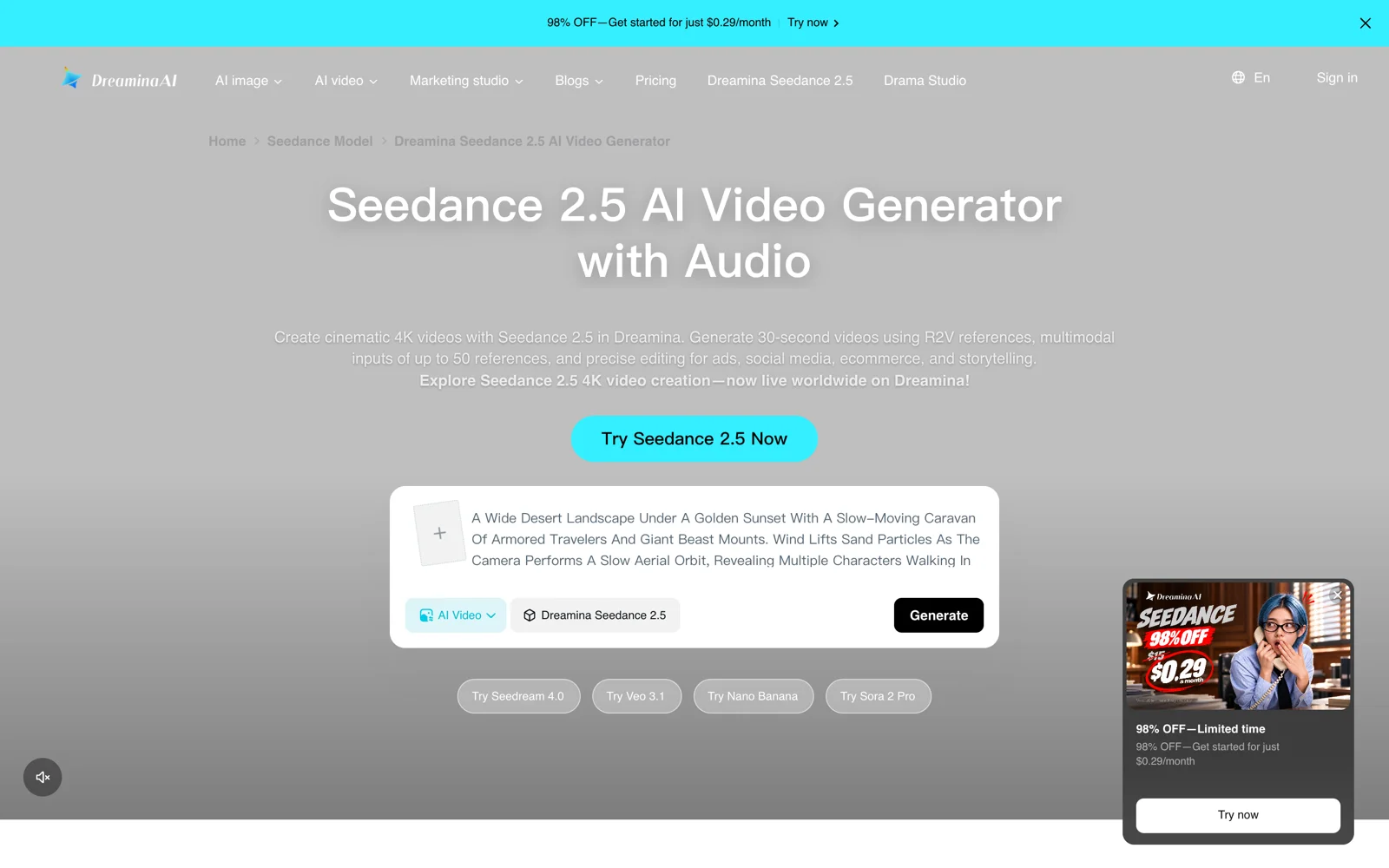
1. Seedance 2.5 (Dreamina): best for native 4K and 30-second single takes
Built by ByteDance’s Seed team and available to consumers in Dreamina, Seedance 2.5 pushes single-clip image-to-video length well past the usual 10-second cap while generating native sound.
- Best for: Long continuous takes, native 4K delivery, and multi-reference brand shoots.
- What stands out:
- Renders 4-to-30-second clips in one pass up to native 4K, with up to 50 multimodal references (30 images, 10 videos, 10 audios) in reference mode (ByteDance announcement).
- In our same-photo test, it produced the smoothest dolly push-in while keeping freckles, fingers, and cup edges intact.
- Limits:
- 1080p costs roughly 2.5× 720p, and native 4K renders noticeably slower.
- Dreamina’s $0.29 price covers only an eligible US user’s first month; the listed renewal is $15/month.
- Pricing: Dreamina gives free daily credits and offers eligible US Basic users $0.29 for the first month (1,575 credits), renewing at $15/month. API tokens on BytePlus ModelArk cost $10.70/1M at 720p (~$2.31 per 10s).
- Skip it if: You only need cheap 5-second 720p loops for social feeds.
2. Kling AI (Kling 4.0): best for literal camera moves and stereo sound
Kuaishou’s Kling AI runs Kling 3.0, Kling 4.0, and Kling 4.0 Flash, pairing realistic human motion with flexible keyframe and reference-video controls.
- Best for: Strict camera-prompt obedience, middle keyframe poses, and two-channel stereo ambience.
- What stands out:
- Kling 4.0 outputs 3-to-30-second clips in 16:9, 9:16, 1:1, or 21:9 at 720p or 1080p, combining up to 10 keyframes with up to 10 images and 5 reference videos.
- In our 5-second portrait test, it delivered the liveliest wind physics in the hair and fullest stereo ocean audio for 31% fewer credits than Seedance 2.5 at 720p; the faster Kling 4.0 Flash variant suits cheaper 720p drafts.
- Limits:
- Can insert unrequested cuts on longer clips unless you specify “no cuts,” and background shop signs can still garble.
- Kling’s guide still lists 4K and 10-bit HDR output as coming soon.
- Pricing: Basic is $0 with no monthly credits and no commercial use; per Kling’s credit guide, Standard lists at $10/month ($6.99 first month, $8.80 renewal, 660 credits) and Pro at $37/month (3,000 credits). Hosted elsewhere, Kling 4.0 costs 118 credits per 5s 1080p clip on Runway.
- Skip it if: You need native 4K output today.
3. Runway: best for directing motion and refining shots in one studio
Runway pairs its Gen-4.5 and Gen-4 Turbo models with Aleph 2.0 video editing, 4K upscaling, and hosted partner models across web and mobile apps.
- Best for: Filmmakers who separate subject action from camera movement and refine generated clips in the same suite.
- What stands out:
- Clear image-to-video motion direction alongside Aleph editing, voice/SFX tools, and iOS/Android apps.
- Paid plans bundle Gen-4.5, Gen-4 Turbo, and partner models under one credit pool.
- Limits:
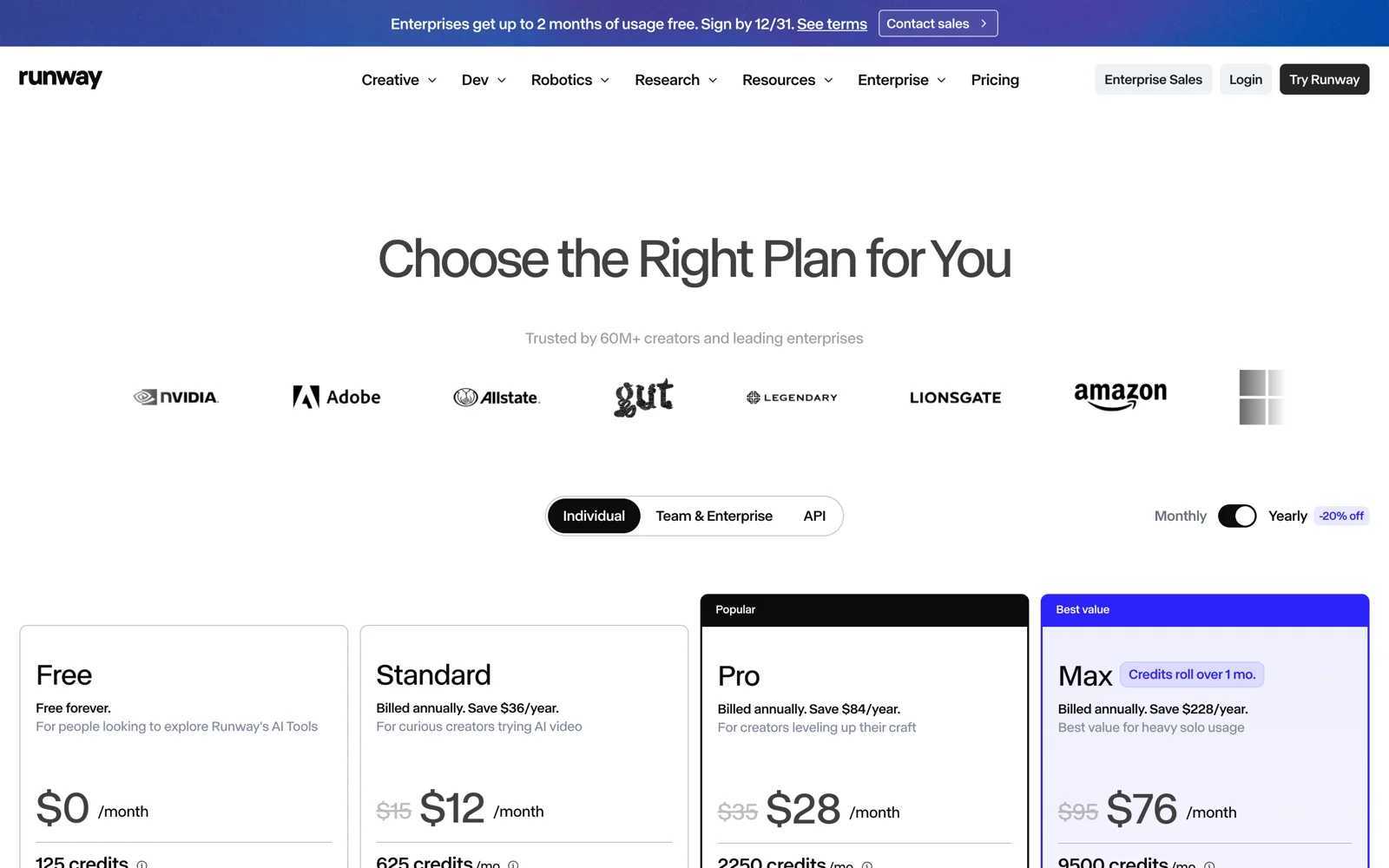
- The Free plan gives 125 one-time credits that never replenish, watermarks exports, and caps storage at 5 GB.
- Standard’s 625 monthly credits cover about ten 5-second Gen-4.5 clips (60 credits/5s), with no credit rollover below Max.
- Pricing: Free ($0, 125 one-time credits); Standard $15/month, or $12/month annually (625 credits); Pro $35/month ($28/month annual, 2,250 credits); Max $95/month ($76/month annual, 9,500 credits).
- Skip it if: You want replenishing free credits or 20-to-30-second native takes.
4. Google Flow (Veo 3.1): best for lip-synced dialogue and daily free tests
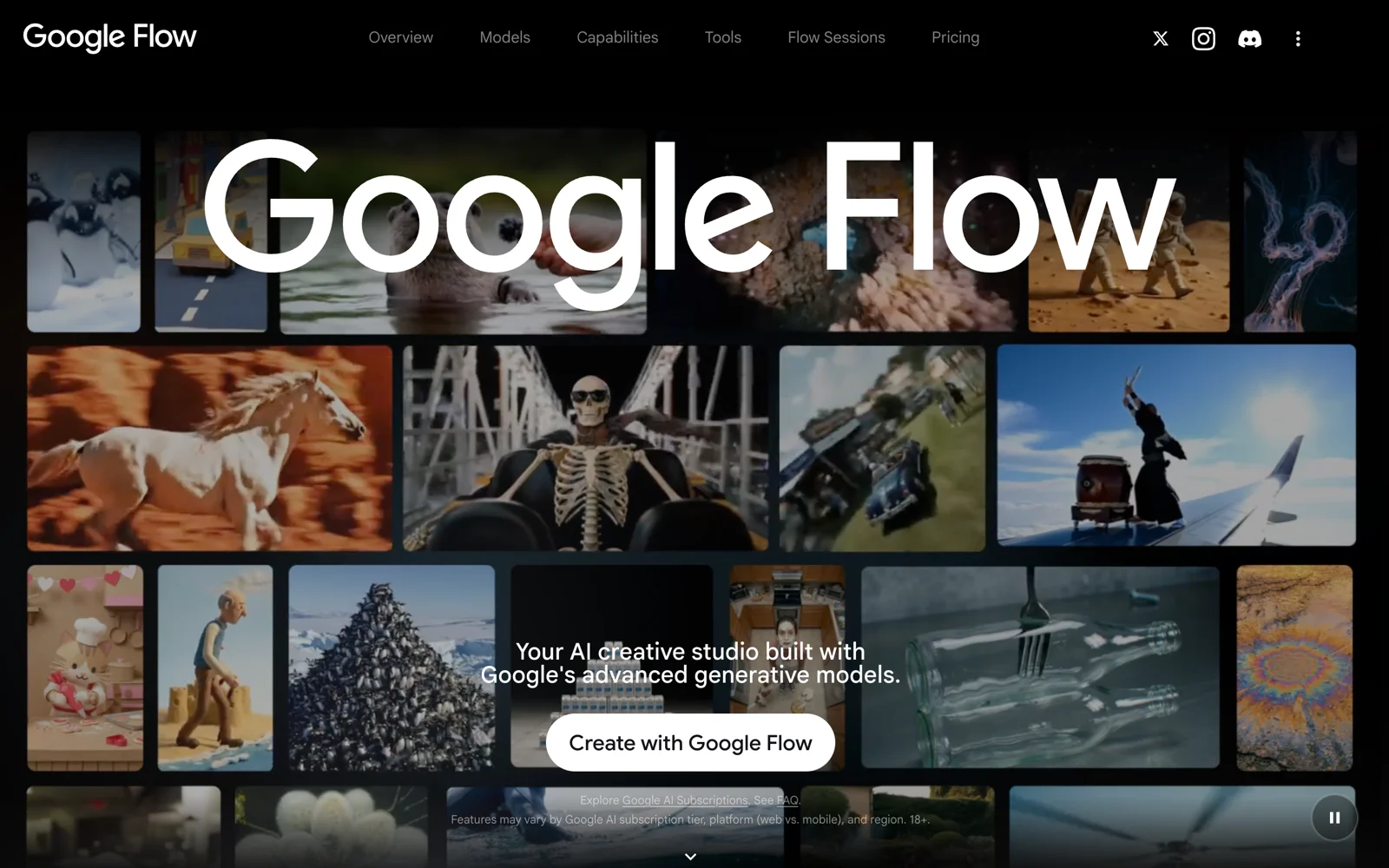
Google Flow is Google’s creative studio for Veo 3.1 and Gemini Omni Flash, turning reference stills into clips with synchronized speech and sound effects.
- Best for: Short spoken-dialogue shots, realistic foley, and daily zero-cost prompt testing.
- What stands out:
- Every account gets 50 daily Flow credits (a 720p Veo 3.1 Lite clip costs 10), plus 10 free monthly Veo 3.1 generations in Google Vids.
- Veo 3.1 renders lip-synced dialogue and ambience in one pass, with Veo 3.1 Lite on Vertex AI starting at $0.05/second.
- Limits:
- Native clips run 4, 6, or 8 seconds in 16:9 or 9:16; longer scenes require extension chaining.
- Flow retires Veo 3.1 Fast and Quality on December 5, 2026, and since November 5 extensions run on Omni Flash 1.2 for paid subscribers only.
- Pricing: Free daily allowance; expanded monthly pools via Google AI plans (US: Plus $4.99/month, Pro $19.99/month, Ultra from $99.99/month), or Vertex AI pay-as-you-go ($0.05–$0.40/s with audio).
- Skip it if: You need uninterrupted 15-to-30-second single takes.
5. Hailuo AI (MiniMax): best for expressive portraits and low-cost takes
MiniMax’s Hailuo AI hosts Hailuo 02 and MiniMax H3, combining subtle facial micro-expressions with low per-clip costs and flexible frame locking.
- Best for: Budget portrait animations and transitions that lock onto a specific final frame.
- What stands out:
- MiniMax H3 accepts first-frame, last-frame-only, first-plus-last-frame, or up to 12 multimodal references, with 768p and 2K output (MiniMax API docs).
- Cost just 1.92 credits for 5 seconds at 768p in our test—about one-third of Seedance 2.5—with a natural head-tilt smile and steady hands.
- Limits:
- Free downloads carry a watermark in a slower queue (Hailuo payment policy).
- In our test, H3 barely pushed the camera forward, left thin side bars at 1344×768 before cropping, and produced near-silent audio (-49.1 dB).
- Pricing: Free watermarked tier; Standard $14.99/month (1,000 credits, no watermark, priority queue); Pro $54.99/month (4,500 credits); Master $119.99/month.
- Skip it if: You want bold camera orbits or loud native soundscapes.
6. ChatCut: best for trying several models in one place and editing the result
ChatCut is an AI video editor for the web, macOS, and Windows that puts Seedance 2.5, Seedance 2.0, Kling 4.0, Kling 3.0, MiniMax H3, and Gemini Omni next to a real multi-track timeline. You test models on one photo and cut the finished video without juggling separate subscriptions.
In our November 18 test, generating the source portrait and four 5-second takes cost 13.75 credits total, each quoted upfront. Placing the still and three takes on the timeline, making two manual edits (fit: cover to trim MiniMax H3’s side bars and cutting 1 second off each tail), and exporting 720p locally took under two minutes and cost zero extra credits.
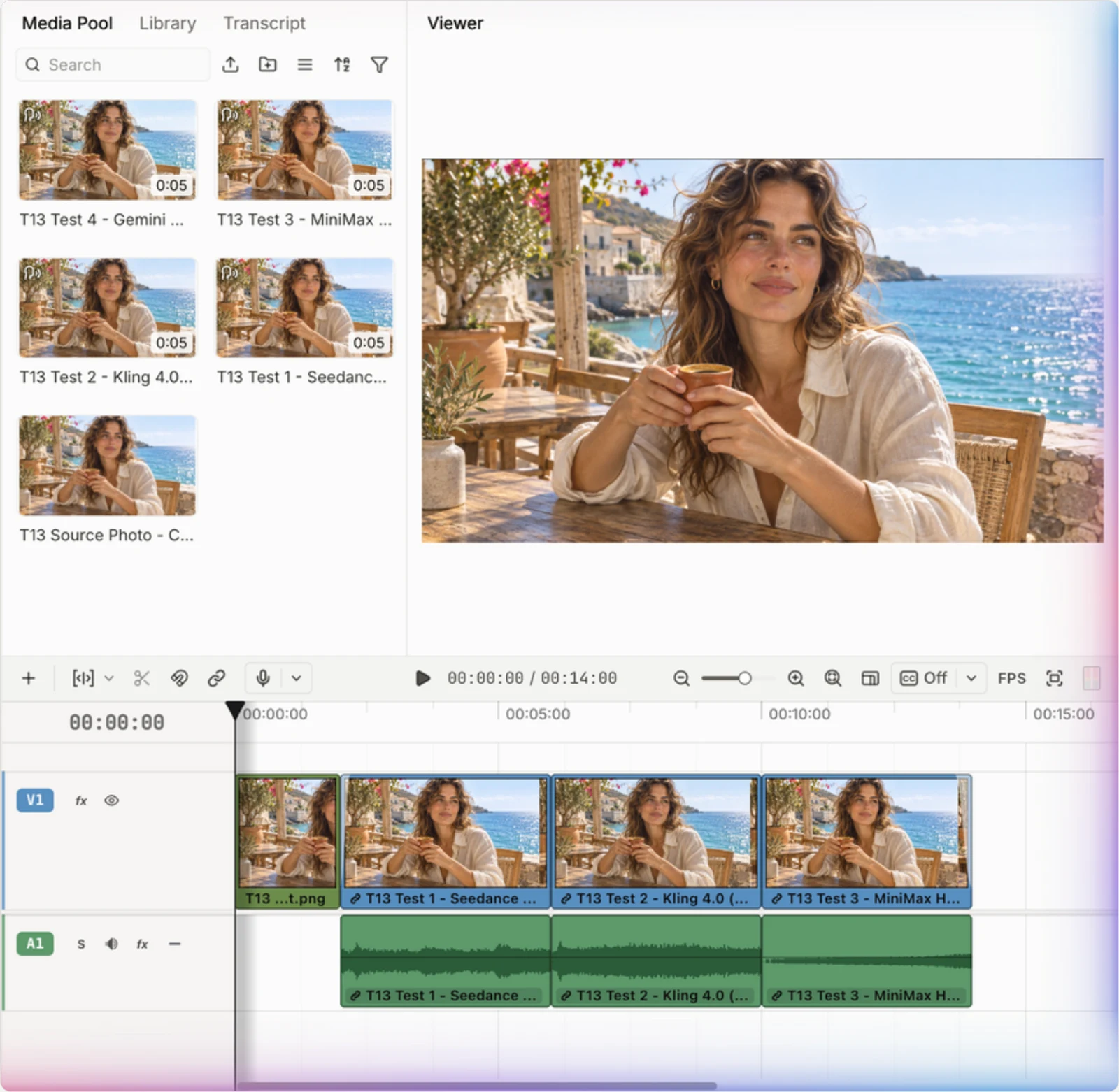
- Best for: Comparing multiple models on one photo, then adding cuts, captions, voiceover, or music on an editable timeline.
- What stands out:
- Runs 11 video model variants under one credit balance with preflight quotes (credits policy).
- Manual editing, transcription, captions, and exports use zero credits; Claude Code, Codex, and WorkBuddy can also drive it via the Agent Plugin using their own reasoning plans.
- Limits:
- AI video and built-in image generation require a paid Pro plan and deduct credits per job.
- Needs an internet connection (including Desktop), has no Linux app (Windows is x64 only), caps cloud rendering at 1080p (Desktop exports 4K locally), and installs its plugin in desktop agent apps rather than ChatGPT or Claude websites.
- Pricing: Free editor (60 cumulative minutes of cloud export; local exports excluded); paid plans from $25/month for 100 credits, or $252/year.
- Skip it if: You want free AI video generation, or specifically need Runway Gen-4.5 or Luma Ray3.
7. Luma (Ray3): best for multi-keyframe direction and studio exports
Luma runs its current Ray3.2 video model (Luma marks Dream Machine and Ray2 as deprecated) in the Luma App alongside creative agents, video modification, and studio delivery formats.
- Best for: VFX artists and commercial teams planning multi-keyframe camera arcs or HDR/EXR shots.
- What stands out:
- Strong spatial coherence across multi-keyframe transitions and source-video modifications, plus access to third-party models and guest collaborators on paid tiers (Luma pricing).
- Limits:
- Luma’s pricing page lists no free plan; individual plans start at $30/month.
- Ray3.2 bills 400 credits per 5-second 1080p SDR clip, HDR doubles that, and HDR+EXR triples it; app credits do not apply to the API (subscription guide).
- Pricing: Plus $30/month or $300/year (10,000 credits, commercial use); Pro $90/month; Ultra $300/month.
- Skip it if: You need commercial, watermark-free clips under $20/month.
8. Pika: best for watermark-free credit packs and social effects
Pika combines keyframe transitions (Pikaframes) and playful visual effects with a studio hosting Pika 2.5, Kling 4.0, Seedance 2.5, and MiniMax H3.
- Best for: Stylized social hooks and occasional creators who prefer one-off credit packs over subscriptions.
- What stands out:
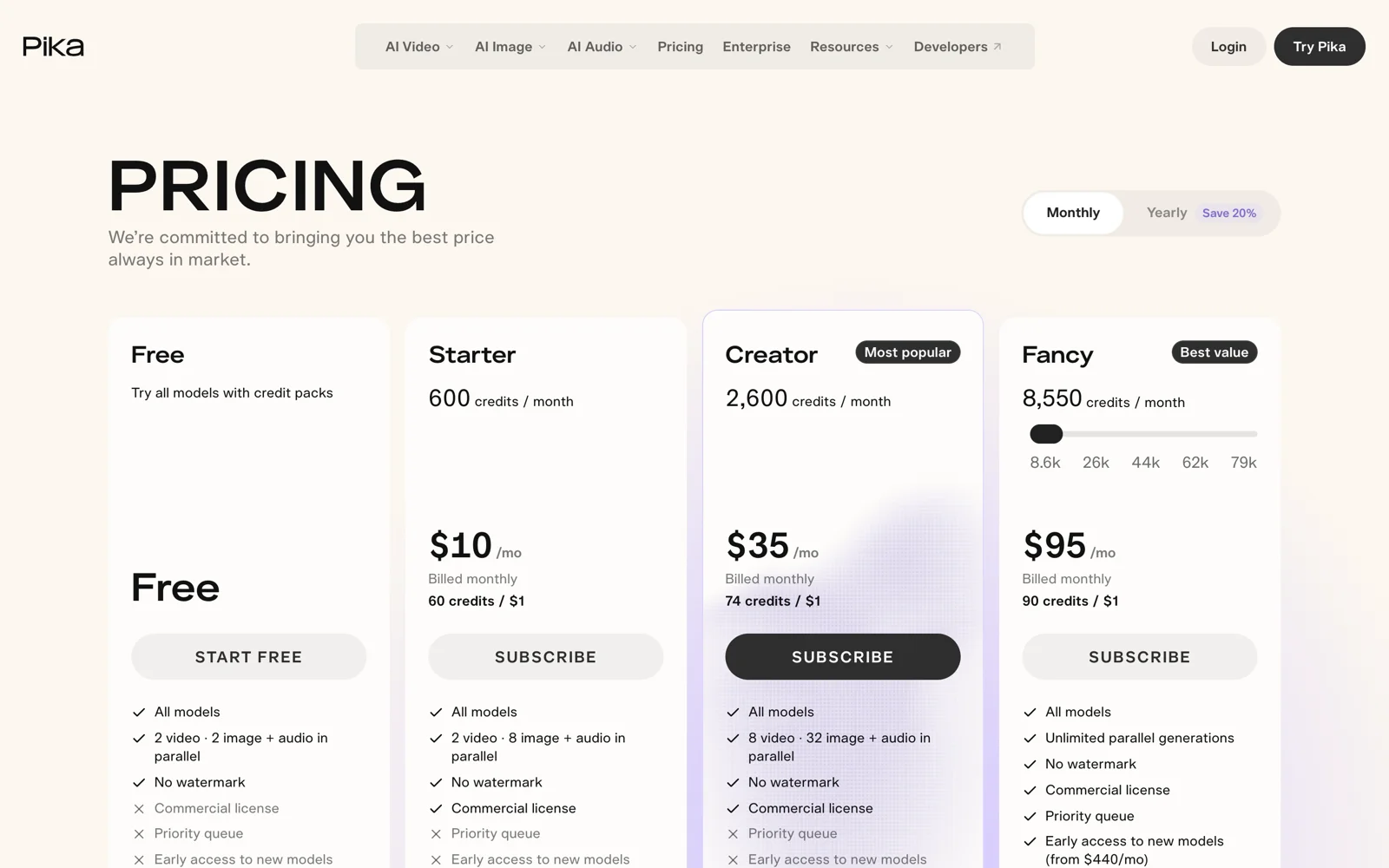
- Lowest commercial subscription here ($10/month, or $8/month annually).
- Exports carry no watermark even on Free when using purchased credit packs, which last 365 days (Pika pricing).
- Limits:
- The $0 Free plan includes zero monthly credits, and excludes commercial use even after buying a credit pack.
- Priority queue access requires the $95/month Fancy tier.
- Pricing: Free ($0, 0 monthly credits, packs only, non-commercial); Starter $10/month, or $8/month annually (600 credits, commercial); Creator $35/month (2,600 credits); Fancy from $95/month.
- Skip it if: You want free signup credits without paying first, or a multi-track editor.
9. Higgsfield: best for preset camera moves and parallel ad batches
Higgsfield wraps curated cinema camera moves, character consistency tools, and UGC ad workflows around multiple hosted video models.
- Best for: Ad buyers who want clickable camera presets and six-to-eight parallel batch renders.
- What stands out:
- Pre-built dolly, crash-zoom, and handheld presets simplify cinematography prompts, while Plus and Ultra run 6 to 8 video jobs at once (Higgsfield pricing explained).
- Limits:
- Free includes zero monthly credits, runs one job on limited models, and can add a visible watermark.
- Start & End Frame control, Higgsfield Speak, UGC builder, and full model access require the $49/month Plus tier, not $15 Starter.
- Pricing: Free ($0, 0 monthly credits); Starter $15/month (200 credits, selected models); Plus $49/month (1,000 credits, all models); Ultra $129/month (3,000 credits).
- Skip it if: You need start/end frame locking under $30/month.
Also Considered (Plus What Happened to Sora)
- Midjourney Video: Animates stills into 5-second clips extendable by 4 seconds using Fast GPU minutes. Great if you already subscribe to Midjourney (Basic $10/month for 200 Fast minutes at SD video; Relax SD video needs $60/month Pro), though there is no free tier.
- Adobe Firefly Video: Fits Creative Cloud teams needing IP-safe Firefly clips or Premiere Pro Generative Extend (check current pricing on Adobe’s plans page).
- PixVerse: Useful for quick template clips, but it overlaps closely with Pika and Dreamina, so we kept it off the main list.
- OpenAI Sora (Discontinued): Older 2026 lists still rank Sora 2, but OpenAI shut down the Sora web and mobile apps on April 26, 2026, and retired the Sora API on September 24, 2026. Use Seedance 2.5 for long single takes or Google Flow for spoken dialogue instead.
How to Choose the Right Image-to-Video Generator
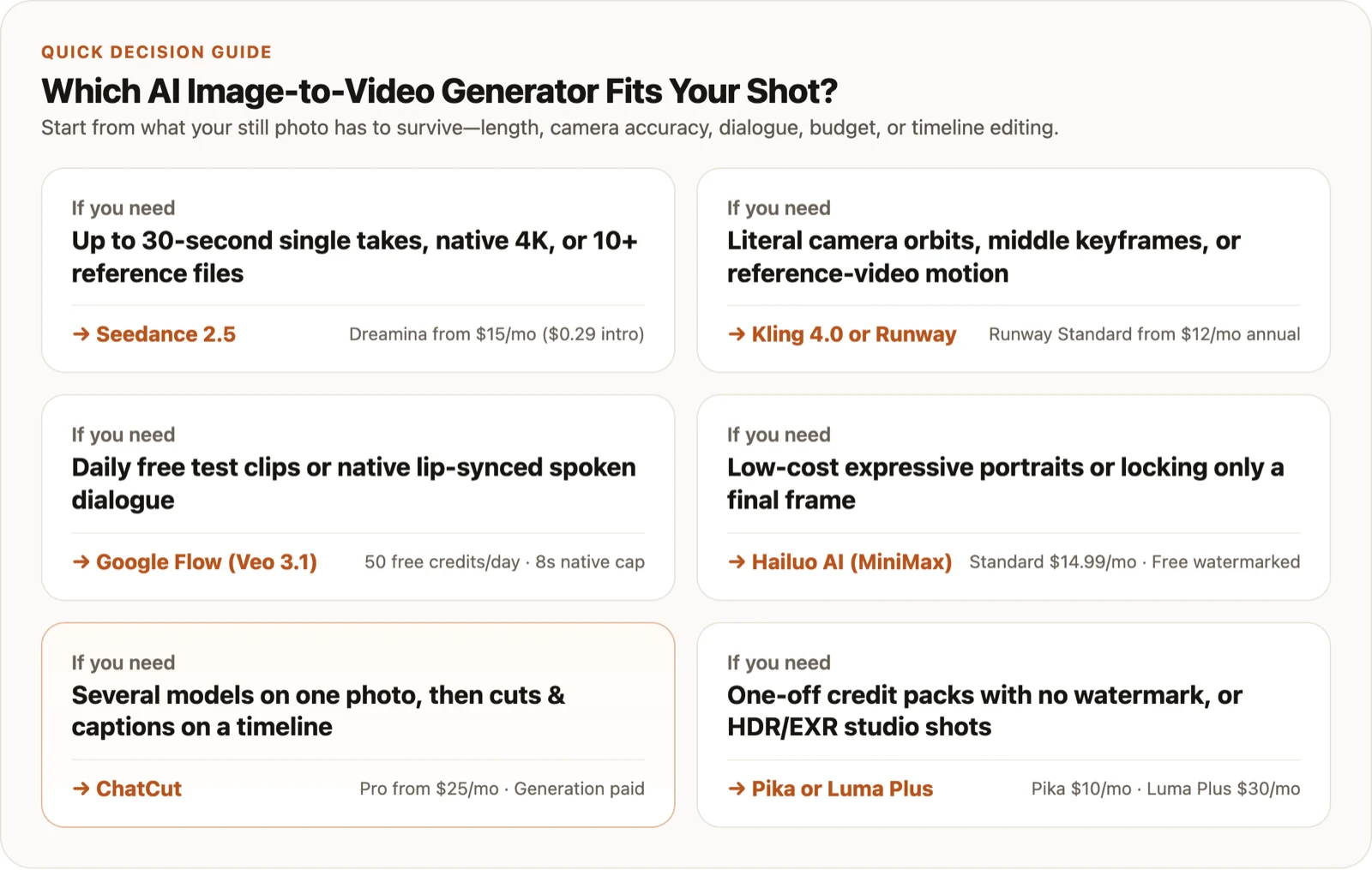
- If you need native 4K, 15-to-30-second single takes, or 10+ references, pick Seedance 2.5.
- If you need literal camera orbits, middle keyframes, or reference-video motion, pick Kling 4.0 or Runway.
- If you want daily free test clips or lip-synced dialogue under 8 seconds, pick Google Flow (Veo 3.1).
- If you want low-cost portrait motion or last-frame-only locks, pick Hailuo AI (MiniMax H3).
- If you want to run several models on one photo and cut, caption, and score the winner on a timeline, pick ChatCut.
- If you want watermark-free credit packs without a monthly plan, pick Pika ($10/month Starter for commercial use); for HDR/EXR studio shots, pick Luma Plus.
Ready to test your own still? Open the AI image-to-video app, walk through our AI image-to-video tutorial to turn one photo into a voiced edit, or grab camera formulas from our 15 image-to-video prompts guide.